Is Getimg AI worth it?
Yes, if one subscription for several image and video models saves you from juggling accounts, and you can live with credits that expire each month. The price per image changes with the model, from 5 credits on Qwen3 to 60 on GPT Image 2, so it rewards creators who choose models on purpose.
Choose Getimg AI if you
- Test several image models on one brief without separate accounts
- Make thumbnails, ad visuals and product images with built-in 4K to 16K upscaling
- Turn a finished image into a short video clip in the same studio
- Want commercial rights included and can plan a fixed number of credits a month
Look elsewhere if you
- Want a free plan or trial to test before you pay
- Need one predictable cost per image or per clip
- Want manual selection tools for detailed photo editing
- Expect unused credits to pile up, since they expire every month
Getimg AI scores
Getimg AI scores well on model access and image quality and loses points for having no free plan and dated legal pages. The overall score is the average of the eight checks below, rounded to one decimal.
Core and above include FLUX.2, Seedream 5, Nano Banana 2, GPT Image 2, Grok Imagine and Qwen3, so quality follows the model you pick.
Auto mode rewrites your prompt and, reviewers report, keeps enhancement on until you choose a model by hand, so exact wording needs a manual pick.
Elements build a reusable reference from up to 20 images and a prompt takes up to 10 references. Reviewers say traditional custom training was dropped in 2026.
Prompt edits and background removal work, but each edit redraws the full frame and there are no manual selection tools. A September 2026 test saw a 1K retouch change a face.
Auto mode picks a model for you and the studio runs in the browser. Credit costs are the confusing part, since each model and resolution has its own price.
The pricing page lists commercial rights on every paid plan. The terms pages carry 2022 dates and, per a September 2026 review, do not address who owns an output.
Core at $35 a month buys 542 Nano Banana 2 images or 63 Kling clips. Video burns credits fast and nothing rolls over to the next month.
There is no free plan and no free trial. The 100 credit free tier was retired in the 2026 overhaul.
Getimg AI pricing in 2026
Getimg AI bills in credits, and what a job costs depends on the model, the resolution and the type of output. A Nano Banana 2 image takes about 35 credits, a GPT Image 2 image about 60, a FLUX.2 image about 15 and a Kling video clip about 300.
| Plan | Price a month | Credits a month | Real output, roughly | What it adds |
|---|---|---|---|---|
| Entry | $15, same billed yearly | 8,000 | 228 Nano Banana 2 images or 26 Kling clips | Selected models only, 4K upscaling, 2 jobs at once |
| CoreMost creators | $35, or $26 billed yearly | 19,000 | 542 Nano Banana 2 images or 63 Kling clips | All models, 8K upscaling, 4 jobs at once |
| Plus | $79, or $59 billed yearly | 42,500 | 1,214 Nano Banana 2 images or 141 Kling clips | 16K upscaling, 8 jobs at once, top-ups reported |
| Ultra | $199, or $149 billed yearly | 107,500 | 3,071 Nano Banana 2 images or 358 Kling clips | 10 jobs at once and the largest credit pool |
Prices are in US dollars before tax, from getimg.ai/pricing, checked in November 2026. The first figure is monthly billing and the second is the monthly price when billed yearly. The page changes often and shows local currency, so the checkout is final. Older reviews that quote $10, $30 and $65 describe a previous price list.
What a month of content really costs
Four videos, ten concepts each and three rerolls is 120 Nano Banana 2 images, or about 4,200 credits. That fits inside Entry with 3,800 credits left for upscales.
Thirty days of five prompts with three rerolls is 450 images, or about 15,750 credits. That is past Entry at 8,000, so Core is the first plan that covers it.
600 GPT Image 2 images and 20 Kling clips come to about 42,000 credits, nearly all of the Plus allowance. Ultra gives room if you add more video.
Our estimates from the vendor credit table, using about 35 credits for a Nano Banana 2 image, 60 for a GPT Image 2 image and 300 for a Kling clip, at monthly billing prices.
Can you use Getimg AI images commercially?
Yes, on any paid plan, because the pricing page lists commercial rights for every plan. The weak spot is the legal wording, which does not spell out who owns an output.
| What you want to do | Entry | Core | Plus and Ultra |
|---|---|---|---|
| Monetize on YouTube or social | Yes | Yes | Yes |
| Use in client work or products for sale | Yes | Yes | Yes |
| Use every model in the studio | No | Yes | Yes |
| Upscale to 8K or 16K | No | 8K | 16K |
| Unused credits roll over | No | No | No |
| Top up when credits run out | No | No | Yes, price not shown |
The pricing page lists commercial rights, but the terms pages carry 2022 dates and, per a September 2026 review, do not address output ownership or copyrightability. Some models may also bring their own licence terms. For client work, keep your plan receipt and check the terms of the model you used.
Getimg AI features for creators
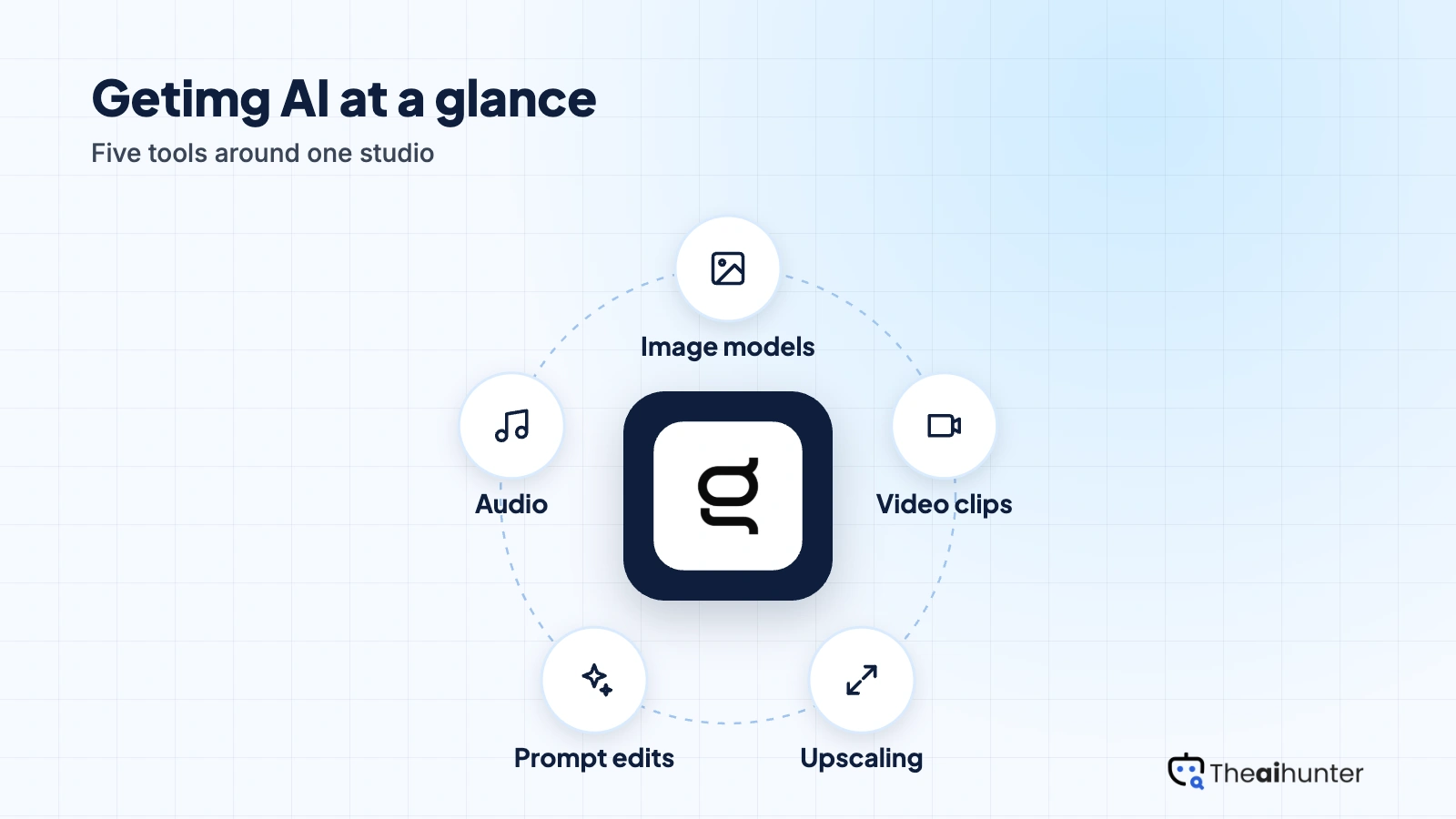
Six parts of the studio matter most for creator work, and each one spends credits differently.
Multi-model studio
Run FLUX.2, Seedream 5, Nano Banana 2, GPT Image 2, Grok Imagine or Qwen3 from one prompt box, and switch models between takes.
All models on Core and upAuto mode
Auto picks a model and rewrites your prompt for you. Reviewers note that enhancement stays on until you choose a model by hand.
50 credits at 1KElements and references
Build a reusable reference from up to 20 images, or attach up to 10 reference images to a prompt, to keep a character or product consistent.
Not for video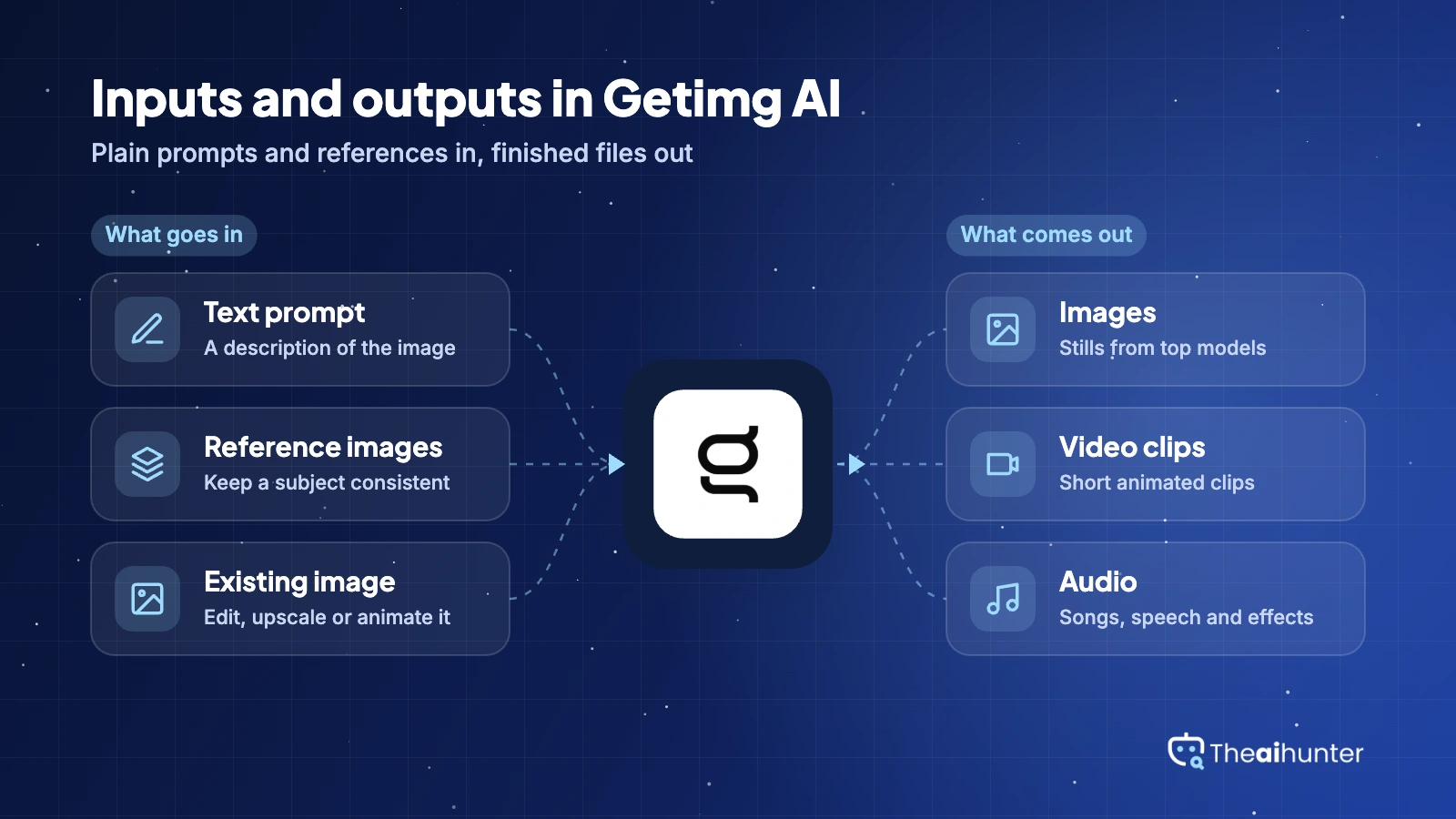
Prompt-based editing
Describe a change in plain words and the studio re-renders the frame. The original is kept, but there are no manual selection tools.
50 credits at 1K, 150 at 4KUpscaling and resizing
Upscale to 4K on Entry, 8K on Core and 16K on Plus and Ultra, with models such as SeedVR2, Crystal and Topaz.
From 5 credits at 1KVideo, music and speech
Turn images into clips with Kling, Seedance, Veo and others, and generate songs, speech and sound effects from the same credits.
About 300 credits a Kling clipPros and cons
Pros
- Current models from several labs in one subscription
- Commercial rights listed on every paid plan
- Images, video, upscaling, music and speech share one credit pool
- Upscaling up to 16K on Plus and Ultra
Cons
- No free plan and no free trial
- Unused credits expire each month and do not roll over
- Credit cost per image ranges from 5 to 60 depending on the model
- Edits redraw the whole frame and have no manual selection tools
What users complain about
Trustpilot showed 2.7 out of 5 across 11 reviews in a September 15, 2026 review by SaaS CRM Review, while G2 lists three reviews at 4.8. Both samples are small, so we group the themes below rather than lean on the scores.
Video credits drain faster than expected
A Kling clip costs about 300 credits, more than eight Nano Banana 2 images. Fix: plan by clips per month first, and test with cheaper models such as Seedance before you use Kling.
No free plan or trial
The free tier was retired in the 2026 overhaul, and reviewers note that image to video has no free preview. Fix: test prompts on a tool with a free plan, such as Craiyon, before you subscribe.
Refunds are narrow
A refund needs under 100 credits used and a request within 3 days of the start or renewal, and promotional plans are excluded. Fix: judge the plan inside those 3 days and keep test use small.
Edits change more than you asked
A September 2026 test saw a 1K retouch change a subject’s face and a canvas extension return a new scene, while the 4K run kept the details. Fix: edit at your final resolution.
Getimg AI alternatives
If the missing free plan, the monthly credit expiry or the swings in cost are the problem, these four cover the usual reasons to switch.


Getimg AI FAQ
Is Getimg AI free?
No. Getimg AI has no free plan and no free trial, and the old 100 credit free tier was retired in the 2026 overhaul. Plans start at $15 a month.
How much does Getimg AI cost a month?
Getimg AI costs $15 a month on Entry, $35 on Core, $79 on Plus and $199 on Ultra when billed monthly. Billing yearly brings Core to $26, Plus to $59 and Ultra to $149 a month, while Entry stays at $15.
How many images do Getimg AI credits buy?
It depends on the model. The 19,000 credits on Core buy about 542 Nano Banana 2 images, 316 GPT Image 2 images, 1,266 FLUX.2 images or 3,800 Qwen3 images. A Kling video clip takes about 300 credits.
Can I use Getimg AI images commercially?
Yes, on every paid plan. The pricing page lists commercial rights for Entry, Core, Plus and Ultra, so monetized YouTube videos, ads and client work are covered. The terms do not say who owns an output, so keep your receipts.
Do unused Getimg AI credits roll over?
No. Unused credits expire at the end of the billing period they were issued in, and they renew on your signup anniversary rather than on the first of the month.
Can I get a refund from Getimg AI?
Sometimes. The refund policy needs fewer than 100 credits used and a request within 3 days of the subscription start or renewal. Discounted or promotional plans are not refundable, and processing can take up to 25 business days.
Does Getimg AI have an API?
Yes, but it is a separate product. Reviewers report pay-as-you-go pricing from $0.015 per image and $0.022 per second of video, and a studio subscription includes no API calls.
Can I still train a custom model on Getimg AI?
Not in the old way. Reviewers report that traditional custom model training was dropped in the 2026 overhaul. Elements now let you build a reusable reference from up to 20 images.
Which models does Getimg AI include?
Core and above include every model, such as FLUX.2, Seedream 5, Nano Banana 2, GPT Image 2, Grok Imagine and Qwen3 for images, and Kling, Seedance, Veo and Wan for video. Entry limits you to a selected set, and the lineup changes often.
Can Getimg AI make videos?
Yes, on paid plans. It animates images and generates clips with models including Kling, Seedance, Veo and Wan. Video costs far more credits than images, about 300 for a Kling clip against 35 for a Nano Banana 2 image.
What is the best Getimg AI alternative?
Leonardo AI if you want trained models and a canvas, Ideogram if text inside images matters, and Midjourney if image quality comes first. To test prompts for free before paying anywhere, start with Craiyon.
How we review AI image tools
Every image tool on Theaihunter goes through the same four steps and gets the same eight scores, so any two image tool scores on this site can be compared directly.
Read the vendor’s own pages
Plans, credit and image limits, and license terms come from the product’s site first. We note the date we checked each one.
Test what we can reach
We sign up and check what the free plan and settings allow. When a login or paid credits are needed to go further, the review says what we did not test. Samples go on the page only when the license permits it.
Cross-check what users report
Independent reviews and user complaints from the last six months show what the sales page leaves out. Numbers copied across lookalike sites count once.
Score, date and update
Eight areas get a score from 1 to 5. When pricing or plans change, we recheck the review and log the change in its history.
How the score works
Each area is scored from 1 to 5. The overall score is their average, rounded to one decimal.
It is the same number on the review, the category page and anywhere else the tool appears.
- No review, no score. Tools we have not reviewed in full are never ranked.
- A strong output cannot hide unclear licensing, because each area is scored on its own.
Some links earn us a commission. A score or verdict is never changed because of one.
Prices, credits and limits are checked against the vendor’s pages and dated. When sources disagree, the review says so.
If we used a feature, we say so. If a detail comes from user reports, the review labels it as reported.
Ready to try Getimg AI?
Entry at $15 a month is enough to judge the output, and Core at $35 adds every model once you know what you make.
