

Is Craiyon worth it?
Not for most creators. Use the free plan to experiment and nothing more. Once you need a clean image for a thumbnail, product or client, Leonardo AI has a better free plan and Ideogram handles text, and both cost about the same as Craiyon’s paid tiers.
Choose Craiyon if you
- Want to try AI images with no account or payment
- Need quick rough ideas, not finished graphics
- Teach or learn how prompting works
- Can live with ads and a watermark on free images
Look elsewhere if you
- Need accurate faces, hands or text
- Want clean, watermark-free images without paying
- Produce client or brand visuals
- Need an API on the paid plans
Craiyon scores
Eight creator-focused checks, each out of 5. The overall score is their average and matches the score shown everywhere on the site.
Outputs are often soft or inconsistent, with weak faces, hands and small details. It looks a generation behind the other tools here.
Simple prompts work, while detailed instructions and text inside images often miss.
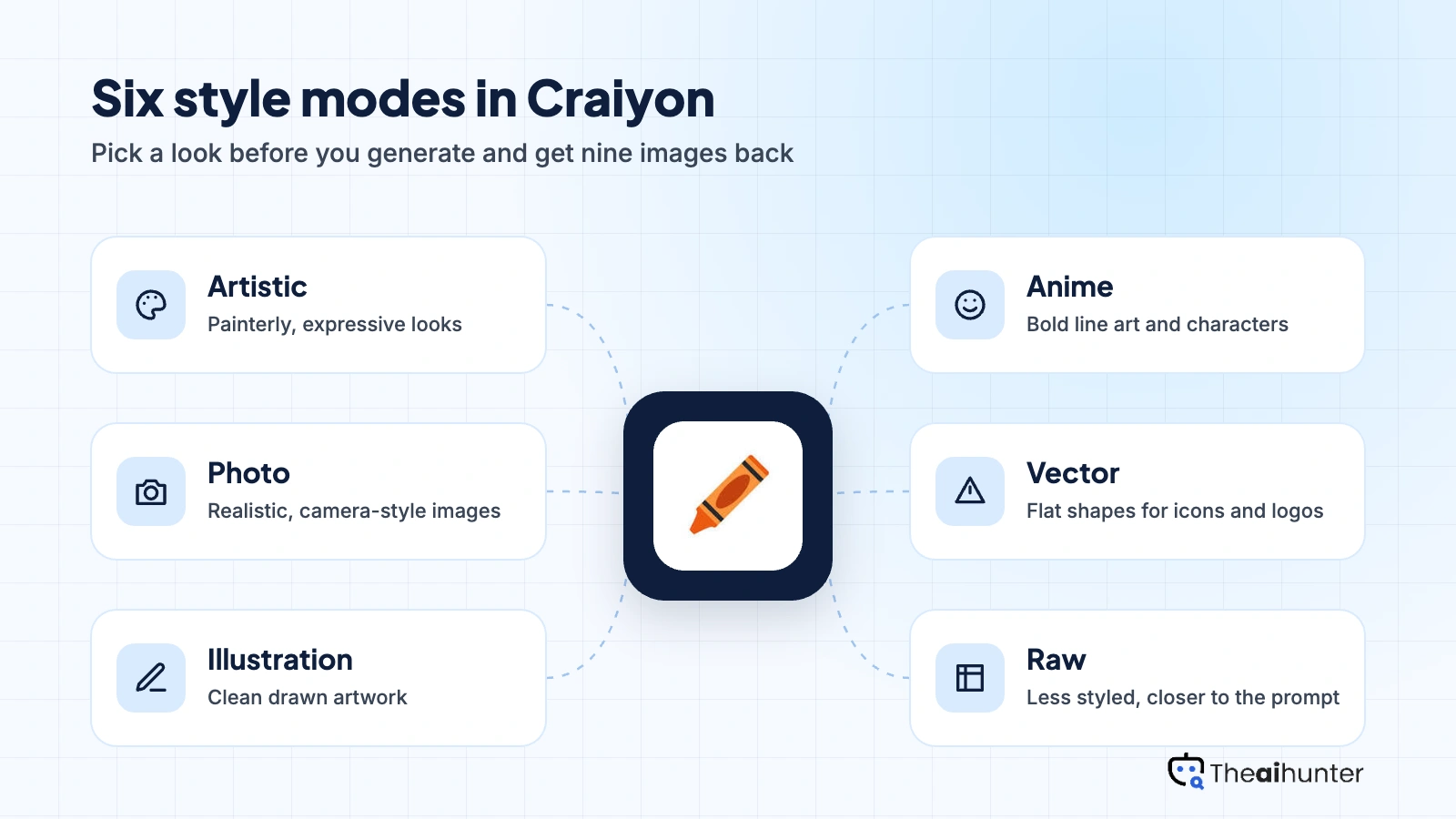
Style modes cover Artistic, Photo, Illustration, Anime, Vector and Raw, but there are no references or custom models.
Retouch commands and, on paid plans, edit credits for upscaling, animation and vectorization. Basic next to a full canvas editor.
Type a prompt and get nine images. No account is needed to start, which makes it the simplest tool here.
Commercial use is allowed, but free users must credit Craiyon under its terms, and some paid images are public.
Paid plans start at $120 a year and buy fewer features than Leonardo or Ideogram at similar prices.
Unlimited generations with nine images per prompt and no login. Ads, a watermark and slower speeds come with it.
Craiyon pricing in 2026
Craiyon has a free plan with unlimited generations, then three paid plans billed yearly. Paid plans remove the watermark and add animation, upscaling and vectorization, which spend a monthly pool of edit credits.
| Plan | Price a month | Edit credits | Real output, roughly | What it adds |
|---|---|---|---|---|
| Free | $0 | None | Unlimited, nine images per prompt | Ads, watermark, slower queue |
| Supporter Most creators | $10 | 100 a month | Unlimited images plus about 100 edits | No watermark, animate, upscale, vectorize |
| Professional | $20 | 220 a month | Unlimited images plus about 220 edits | More edit credits |
| Ultra | $70 | 900 a month | Unlimited images plus about 900 edits | Largest edit allowance |
Monthly equivalents of yearly prices ($120, $240 and $840 a year) as listed in 2026 trackers and Craiyon’s pricing page. Craiyon raised prices in early 2026, so older guides quoting $5 or $6 a month are out of date. Edit credit counts differ by source. Plans change, so the checkout price is final.
What a month of content really costs
Images are unlimited, so volume costs nothing. The free watermark makes Supporter the minimum for anything you publish.
Generation is unlimited, but quality will limit how many images you can use. Edits and upscales draw on 100 monthly credits.
Even Ultra at $70 a month does not fix the quality gap. Leonardo AI or Midjourney is a better use of the same money.
Our estimates. Craiyon does not limit image generation on any plan, so cost depends on how many edits, upscales and animations you need each month.
Can you use Craiyon images commercially?
Yes. Commercial use is included, but people without a subscription must credit Craiyon under its terms of use, so paid plans are the cleaner choice for published work.
| What you want to do | Free | Supporter | Professional and Ultra |
|---|---|---|---|
| Commercial use | Yes | Yes | Yes |
| No attribution to Craiyon needed | No | Yes | Yes |
| Images without a watermark | No | Yes | Yes |
| Animation, upscaling and vectorization | No | Yes | Yes |
| API access | No | No | No |
Reports say images made on the Supporter plan are public, and API access is not included on the paid plans. Craiyon gives no IP indemnification, and AI images may not qualify for copyright protection in every country.
Craiyon features for creators
What you can make with it, and what each part needs.
Nine images per prompt
Every prompt returns nine options at once, which is useful for fast brainstorming.
All plansStyle modes
Choose Artistic, Photo, Illustration, Anime, Vector or Raw to change the overall look of a batch.
All plansRetouch commands
Ask for changes to an existing image, such as removing an object or adjusting a detail.
Uses edit credits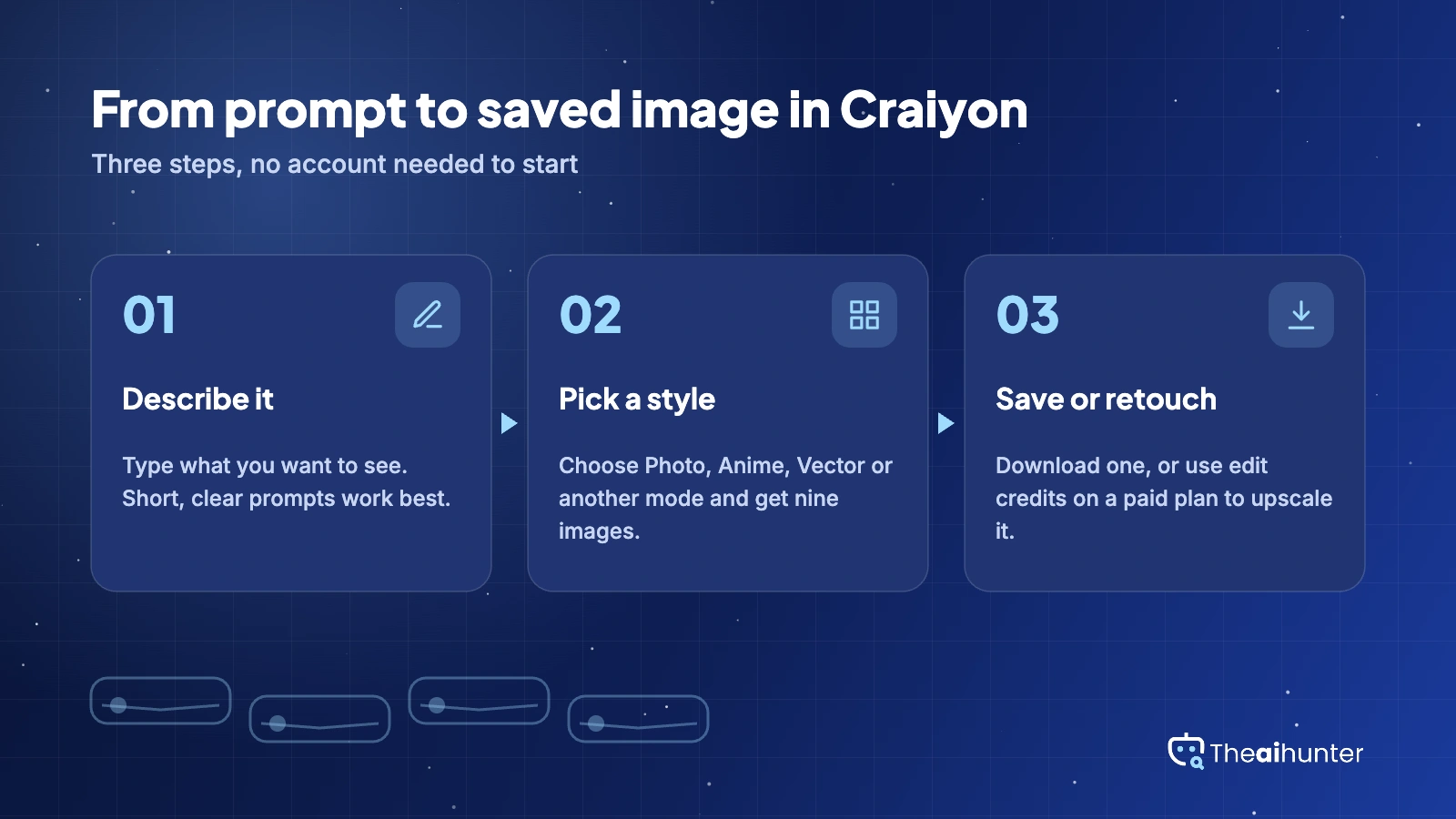
Upscaling
Increase resolution for images you want to publish or print.
Paid plansAnimation
Turn a still image into a short animated clip.
Paid plansVectorization
Convert an image into a vector graphic, handy for logos and simple icons.
Paid plansPros and cons
Pros
- Unlimited free generations with no login
- Nine images from every prompt
- The simplest interface in this category
- Commercial use is allowed
Cons
- Weakest image quality in this group
- Free plan adds ads and a watermark
- Paid plans cost more than in 2025
- No API on the paid plans
What users complain about
Most reviews agree on the same problems, and the fixes mostly mean using a different tool.
Inconsistent image quality
Faces, hands and small details are often off, and text rarely comes out right. Fix: use Craiyon for rough ideas and another tool for finals.
Ads, watermark and slow queues
The free plan shows ads and puts a watermark on images, and generations can take a couple of minutes. Fix: pay for Supporter or use a different free tool.
Paid plans got more expensive
Craiyon raised prices in early 2026, and older guides still list $5 or $6 a month. Fix: check the live pricing page before you subscribe.
Public images on paid plans
Reports say Supporter images are public, and there is no API on the paid plans. Fix: use a higher plan or another tool for private work.
Craiyon alternatives
If quality or watermarks are the problem, compare these.


Craiyon FAQ
Is Craiyon free?
Yes. The free plan gives unlimited generations, nine images per prompt and no login. It adds ads, a watermark and slower speeds.
How much does Craiyon cost?
Supporter is $10 a month, Professional is $20 and Ultra is $70, all billed yearly at $120, $240 and $840.
Can I use Craiyon images commercially?
Yes, but without a subscription you must credit Craiyon under its terms of use. Paid plans remove that need and the watermark.
Is Craiyon the same as DALL·E Mini?
Yes. Craiyon was originally called DALL·E mini, and it is a separate product from OpenAI’s DALL·E.
Does Craiyon have an API?
Reports say API access is not included on the paid plans, so check Craiyon’s site if you need one.
Why do Craiyon images look worse than other tools?
It uses a smaller model than most rivals, so faces, hands and text come out less reliably.
What are edit credits?
They are a monthly pool spent on retouching, upscaling, animation and vectorization on paid plans: 100 on Supporter, 220 on Professional and 900 on Ultra.
Do I need an account?
No. You can generate images without logging in, though an account gives you image history.
What is the best Craiyon alternative?
Leonardo AI for a better free plan and editing, Ideogram for text in images, and Midjourney for polish.
How we review AI image tools
Every image tool on Theaihunter goes through the same four steps and gets the same eight scores, so any two image tool scores on this site can be compared directly.
Read the vendor’s own pages
Plans, credit and image limits, and license terms come from the product’s site first. We note the date we checked each one.
Test what we can reach
We sign up and check what the free plan and settings allow. When a login or paid credits are needed to go further, the review says what we did not test. Samples go on the page only when the license permits it.
Cross-check what users report
Independent reviews and user complaints from the last six months show what the sales page leaves out. Numbers copied across lookalike sites count once.
Score, date and update
Eight areas get a score from 1 to 5. When pricing or plans change, we recheck the review and log the change in its history.
How the score works
Each area is scored from 1 to 5. The overall score is their average, rounded to one decimal.
It is the same number on the review, the category page and anywhere else the tool appears.
- No review, no score. Tools we have not reviewed in full are never ranked.
- A strong output cannot hide unclear licensing, because each area is scored on its own.
Some links earn us a commission. A score or verdict is never changed because of one.
Prices, credits and limits are checked against the vendor’s pages and dated. When sources disagree, the review says so.
If we used a feature, we say so. If a detail comes from user reports, the review labels it as reported.
Ready to try Craiyon?
Use the free plan to experiment. Move to Supporter at $10 a month only if you need a clean, watermark-free image from Craiyon specifically.
