Secrets AI is best for people who want a personalised, emotionally aware AI companion who feels easy to talk to and can be shaped to match the kind of connection they’re looking for.
Secrets AI is a browser based companion tool that lets you create and talk to a personalised AI girlfriend, and the experience feels surprisingly natural once you get into it.
When I first tried it, I expected something simple, but the platform gives you more control than you might think. You can shape how your companion looks, choose her voice, and even build a backstory that influences the way she talks.
It feels a bit like meeting someone new, then slowly discovering how she thinks through each conversation. What stood out to me right away was how quickly the AI picks up on your tone. Some messages feel light and casual, some a little more intimate, and she adjusts as you go.
The chat remembers earlier parts of the conversation, which makes everything feel smoother, especially when you return later in the day. There is also the option to generate photos and short videos of your character.
These are created from prompts you type, and while the results vary, they usually feel close to the personality you set for her. The voice call feature adds another layer of presence, and even though it is still AI, hearing her speak back makes the whole experience feel more personal.
Secrets AI runs on a subscription and a credit system called Moments, which you spend on media or calls, so you can decide how deep you want the experience to go.
For anyone curious about having a steady companion to chat with, someone who feels consistent and easy to talk to, it offers a simple way to create that space. I found it easy to use, easy to customise, and something you can shape based on how you like to connect.
Show More
Show Less
Secrets AI Review 2026: Top Features, Pricing, Pros & Cons
Secrets AI: Editor's Rating
Here's a detailed breakdown of Secrets AI rating based on different parameters.
Ease of Use
4.6/5
The platform is simple to start, the layout is clean, and new users can create or choose a character without any confusion.
Features & Functionality
4.4/5
A well balanced mix of realistic chat, photos, videos, and voice calls, all tied together with solid character tools.
Output Quality
4.1/5
Chats feel natural and engaging, and visuals are strong, although occasional image glitches appear in tricky scenes.
Performance & Speed
4.0/5
Conversations load quickly, and most media tasks run smoothly, with only slight delays during heavier generations.
Customization & Control
4.5/5
Character creation provides enough depth to shape someone unique, from appearance to personality and voice.
Reliability
4.1/5
The platform stays stable during long sessions, with occasional small inconsistencies that don’t break the flow.
Pricing & Value
4.0/5
Plans are reasonably priced, and users get solid value from chat and core features, though frequent media use can become costly.
Support & Resources
4.0/5
Support replies are fairly quick, and the overall help content is growing but still has room for improvement.
Privacy & Data Safety
3.6/5
Basic protections are in place, but more clarity around data handling would help build confidence.
Overall Rating
4.2/5
Secrets AI offers a polished and engaging companion experience with strong customization, realistic conversations, and meaningful depth.
Secrets AI Top Features
Character Creation
You can design your own AI girlfriend by choosing her looks, voice, and basic personality, which makes the connection feel more personal from the start.
Personality Setup
The platform lets you shape her traits, hobbies, and backstory, and these details influence how she talks and reacts in conversations.
Realistic Text Chat
The chat feels natural and steady, with the AI picking up on tone and remembering earlier messages to keep things consistent.
Photo Generation
You can create images of your character using simple prompts, giving you visual moments that match her style and personality.
Video Creation
Short animated clips can be generated from an image, adding motion and expressions that make the character feel more present.
Voice Calls
The voice feature lets you talk in real time, and the responses sound warm and fluid, which makes the interaction feel more immersive.
Multiple AI Models
You can switch between different AI models, each offering a slightly different style of conversation and emotional depth.
Memory System
The platform remembers details you share, so chats feel connected instead of starting from zero every time.
Moments System
A simple credit system controls photos, videos, and calls, giving you flexibility to choose how much or how little you use each feature.
Browser Based Access
Everything runs directly in your browser, so there’s no app to install and you can start chatting from any device within seconds.
Secrets AI Pros & Cons 2026
Pros
Easy to use and quick to set up.
Realistic chat with good memory.
Customisable appearance and personality.
Photo and video generation adds immersion.
Voice calls feel natural and responsive.
Works directly in the browser, no app needed.
Cons
Free plan is very limited.
Moments run out fast with media or calls.
Occasional glitches in generated images.
Secrets AI Pricing 2026
You may start using the platform for free. However, it needs you to upgrade to the premium plan or whenever you use any premium feature. It offers the following plans.
Please note that pricing information may not be up to date. For the most accurate and current pricing details, please refer to the official website.
Secrets AI Use Cases
Companionship and Daily Conversation
Useful for people who want someone to talk to at any time, with consistent tone and memory.
Emotional Support and Comfort
Helps users unwind, vent, or feel heard through steady, empathetic chat.
Romantic Roleplay and Intimate Scenarios
Offers a safe space to explore romantic or flirty interactions that adapt to your comfort level.
Creative Photo and Video Generation
Lets users create personaliZed visuals of their AI partner for fun, storytelling, or roleplay.
Practicing Communication Skills
Gives users a low-pressure space to practice conversations or build confidence socially.
Stress Relief and Relaxation
Light conversation, soothing voice calls, and supportive interactions help calm the mind after a long day.
My Hands-On Review of Secrets AI
I’ve been testing Secrets AI as if I were a first-time user. I created characters, tried the chat, pushed the image and video tools, and tracked how Moments and subscriptions actually behave.
This guide walks through everything a new user needs to know–from signup to first conversations, to advanced features–all written from real use.
I spent time creating characters, chatting, generating images and videos, and tracking how the subscription + Moments system behaves in real life. This guide walks a new user through everything, step by step, with screenshot placeholders you can drop into your article.
What Secrets AI Actually Is
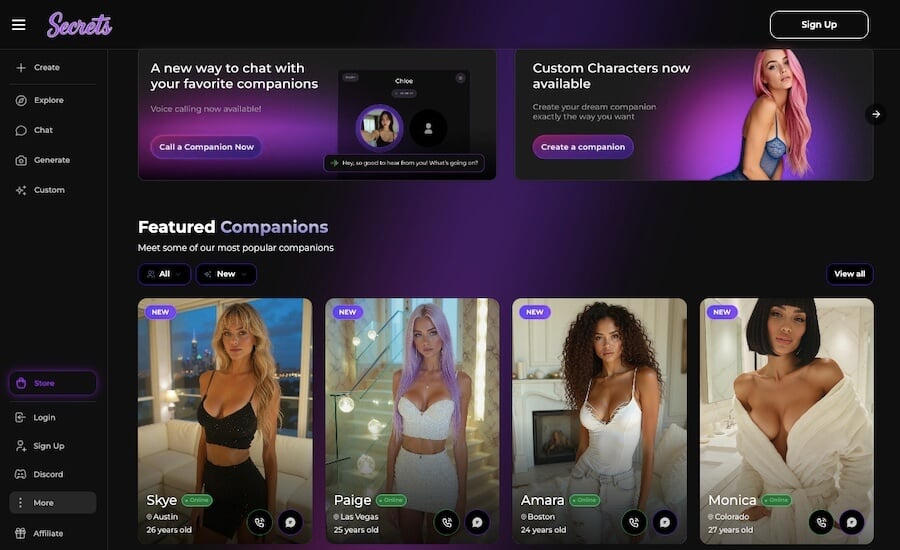
Secrets AI runs entirely in your browser and focuses on romantic or intimate AI companionship. You create an AI girlfriend, customize how she looks and sounds, and interact with her through:
Real-time text chat
Voice calls
AI-generated photos
Short AI-generated videos
Everything is designed to make the character feel emotionally aware, visually engaging, and consistent over time. The platform isn’t trying to be a productivity assistant, it’s built entirely around companionship.
Before You Sign Up: What Matters
A few things are good to know upfront:
The free plan is just a taste, you’ll outgrow it quickly.
Paid tiers unlock unlimited messaging and a larger pool of Moments.
Moments are used for images, videos, calls, and extra characters.
The privacy policy doesn’t go into deep technical detail, so avoid sharing personal identifiers.
Everything works through the browser, no app installation needed.
How to Get Started: A Step-By-Step Secrets AI Walkthrough
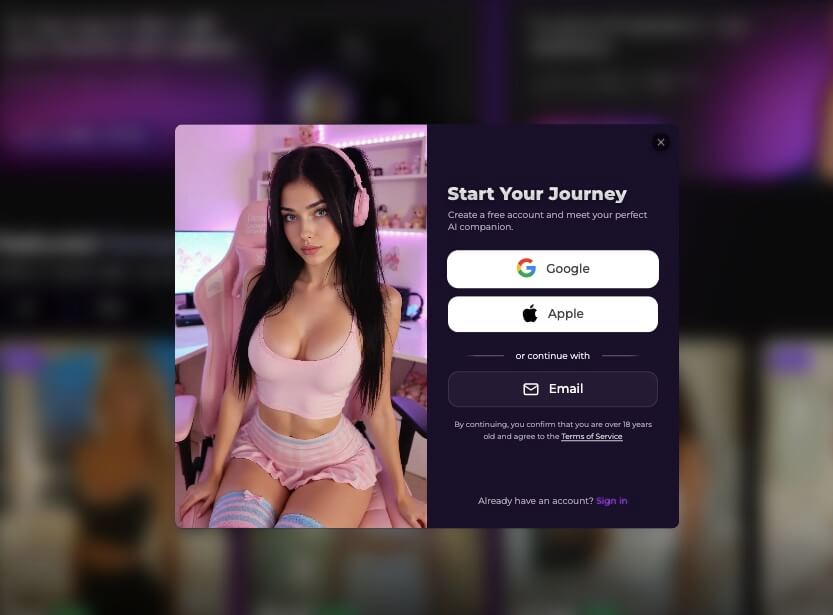
Create Your Account
Signup is quick: email, password, and age confirmation. No long onboarding, no extra friction.
Once you’re in, the platform moves you straight to character selection or creation.
Choose or Create Your AI Girlfriend
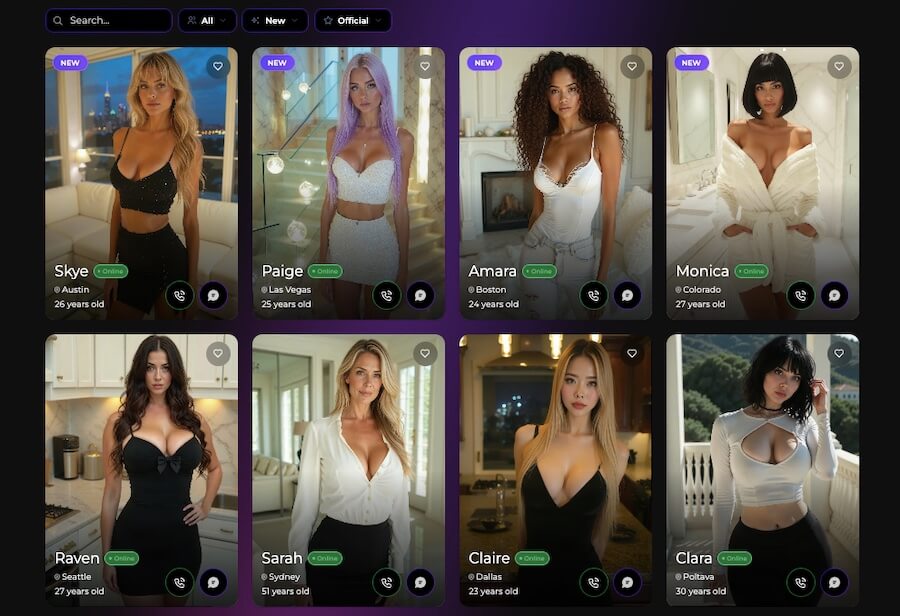
You have two paths here: picking someone from the gallery or building your own.
Option A: Choose from the Gallery
You get a lineup of photo-realistic characters. Most are young and conventionally attractive, with a smaller number of diverse faces and styles. You can browse visually or filter by popularity and themes.
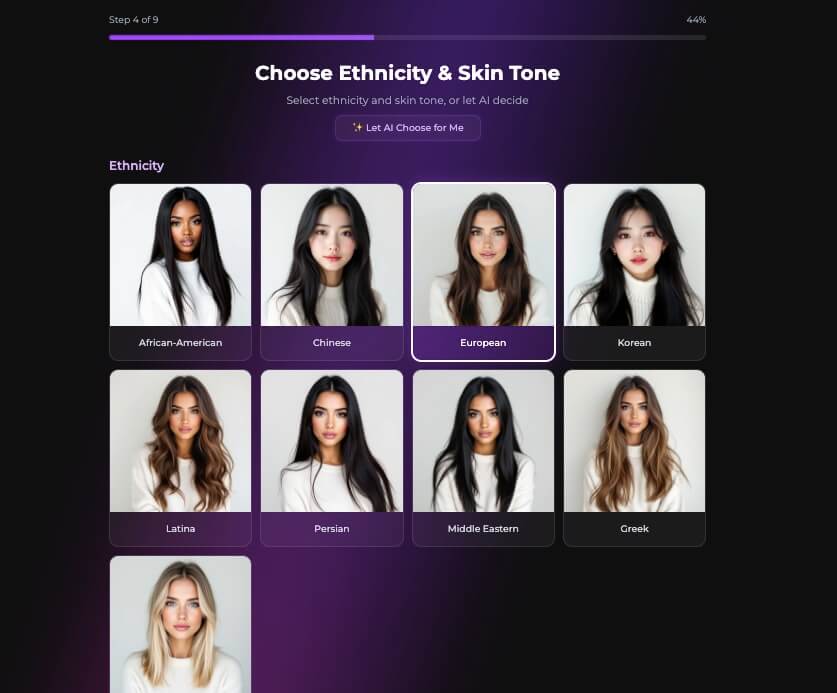
Option B: Create Your Own Character
This is the more personal route, and your first custom character is free, extra ones cost Moments, so it’s worth spending some time here.
The creation flow covers:
Name, age, location
Ethnicity, skin tone, body type
Eye and hair customizations
Voice selection
Automatic generation of four profile photos to choose from
There’s one free re-roll if the images don’t match what you had in mind.
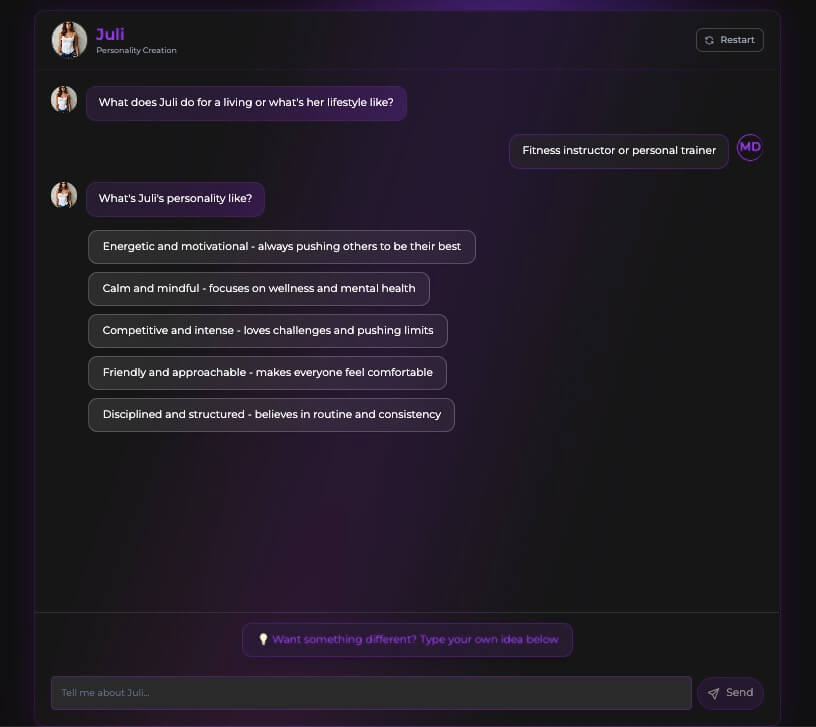
Define Personality and Backstory
After looks, you shape who she is:
Her profession
Core personality traits
Hobbies and interests
A free-text space for backstory or relationship context
This influences her tone, emotional style, and how she behaves in roleplay. Small changes here noticeably shift her conversation style later.
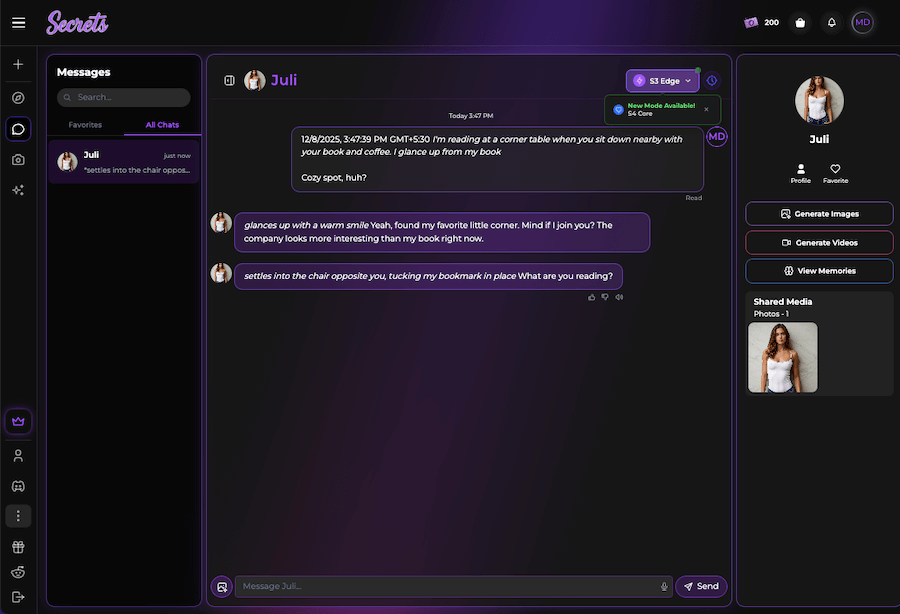
Start Your First Chat
Before you begin, you can:
Choose from different AI models
Pick from pre-written conversation starters
Jump straight into chatting if you prefer
This is where the platform starts to feel real. From my experience:
She remembers details from earlier messages
Her tone adjusts naturally depending on your inputs
She stays in character without drifting
She becomes warmer and more emotionally responsive over time
Key Features and How to Use Them
Text Chat and Roleplay
The core experience is chatting. The AI handles casual conversations, flirty exchanges, and structured roleplay (e.g., girlfriend scenarios, day-in-the-life moments).
Tips that made your chats better:
Mention things you set in her backstory, she leans into them.
Correct misunderstandings gently; she adapts fast.
Don’t be afraid to guide tone (“let’s keep this playful,” “be more gentle,” etc.).
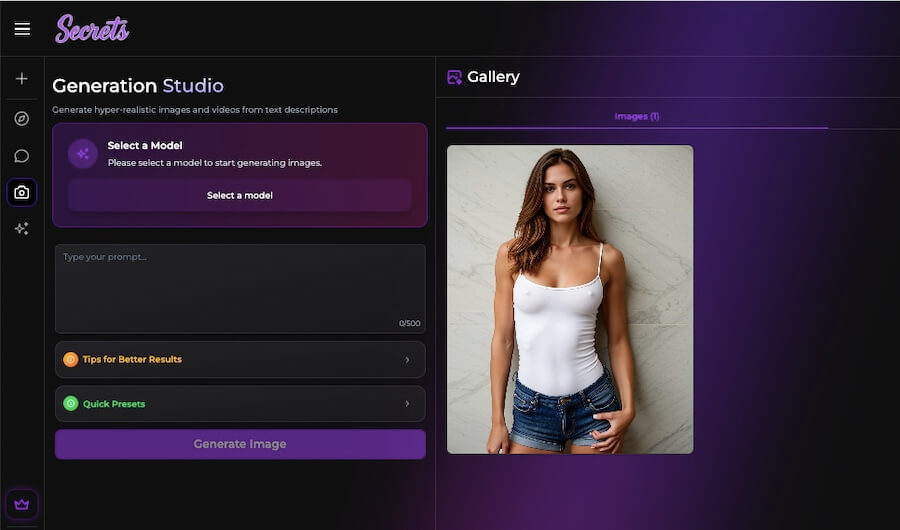
Photo Generation
You can generate images in two ways:
In-chat commands
Ask for a photo and she generates one based on her character profile.
Dedicated image tool
This gives you more control via prompts and presets.
The quality ranges from good to impressive, though occasionally you’ll spot small glitches, especially around hands or complex poses.
Cost: 50 Moments per image.
Video Generation
Videos are created by taking one of your character’s images and animating it using a prompt. It’s not full cinematic movement, but enough to create natural motion like smiling, blinking, or shifting posture.
Cost: about 600 Moments per video.
Voice Calls
Voice is easily the most immersive feature I tested. Calls feel responsive and natural, and the tone shifts based on the context of the conversation. If chat makes the character feel present, voice calls double that effect.
Cost: roughly 100 Moments per minute.
I recommend saving calls for meaningful interactions, since Moments can disappear quickly. While creating the character you get the option to select voice.
Secrets AI Subscription Plans
Here’s the practical breakdown so you can budget properly:
Plan
Monthly Price
Messages
Moments Included
Media (Photos/Videos)
Voice Calls
AI Models & Memory
Best For
Free
$0
Very limited
0
Not included
Not included
Basic model, minimal memory
Testing the platform
Lite
$5.99/mo
100 responses/day
1,000/month
Available
Available (costs Moments)
Better model, basic memory
Light users who want starter media features
Plus
$9.99/mo
Unlimited
3,000/month
Available
Available (costs Moments)
Advanced models, deeper memory
Most users; balanced cost + features
Premium
$19.99/mo
Unlimited
8,000/month
Unlimited access (Moment-based)
Yes (Moment-based)
Highest-level model + strongest memory
Heavy users; frequent calls or videos
If you’re new, start with the Free plan, and if you connect with the experience, upgrade to Plus. It offers the most balanced cost-to-feature ratio.
Safety, Privacy, and Discretion of Secrets AI
The platform doesn’t publish deep technical information about encryption or data retention. Chats are obviously saved for memory purposes, so it’s best to avoid sharing identifiable personal information.
Billing appears discreet with a generic descriptor on statement entries. Everything else, payment, account deletion, privacy settings, is handled inside the account dashboard.
Secrets AI vs Other Popular AI Girlfriend Platforms
Here’s how Secrets AI stacks up against three major competitors: Candy AI, Kupid AI, and DreamGF.
Secrets AI vs Candy AI
Where Secrets AI wins
More realistic visuals
Better personality shaping and character depth
More immersive voice calls
Cleaner onboarding for beginners
Where Candy AI wins
Flashier visuals and filters
A larger variety of “styles” (anime, stylized, hyperreal, etc.)
Faster image generation times
Best for
Secrets AI: users who care about emotional realism, memory, and immersive conversation
Candy AI: users who want stylized or fantasy-based characters and rapid content creation
Secrets AI is one of the more polished AI girlfriend platforms I’ve tried. The character creation flow is easy, the conversations are warm and believable, and the media tools add a layer of presence that simple text chat can’t match.
It’s not perfect, customization options could be broader and the Moments system requires budgeting, but if you’re looking for a romantic AI companion, it delivers a surprisingly engaging experience.
This guide should help new users get started without confusion and avoid the common early mistakes that waste Moments or limit the experience.
Secrets AI Questions & Answers
Q1. What is Secrets AI used for?
Secrets AI is designed to create and chat with a personalized AI girlfriend. You can customize her looks and personality, then interact through text, photos, videos, and optional voice calls.
Q2. Is Secrets AI free to use?
There is a free plan, but it offers limited messages. Most users move to a paid plan to unlock unlimited chat, better AI models, and access to media features.
Q3. How realistic is the chat experience?
The chat feels natural and consistent, and the AI remembers earlier conversations. Tone and responses adapt based on how you talk to her.
Q4. Can I create my own AI girlfriend?
Yes, you can design your own character from scratch by choosing her appearance, voice, traits, and backstory. Your first custom character is free.
Q5. How do Moments work on Secrets AI?
Moments are the platform’s credit system used for photos, videos, voice calls, and creating extra characters. Each action has a set Moment cost, and monthly plans include a certain amount.
ArtSmart is an AI-powered tool designed to help artists, designers,...
Premium
$16/Month
Candy AI
Create Your Custom AI Girlfriend & Boyfriend Candy.ai is an...
Freemium
$9.99/Month
Artguru AI
ArtGuru AI is a creative tool that uses artificial intelligence...
Freemium
$1.67/Month
PromeAI
PromeAI is a powerful yet easy-to-use AI tool designed to...
Freemium
$19/Month
Receive the latest AI news
Learn About AI in 5 Min Daily
Get our daily email newsletter with trending AI news and top AI tools. Subscribe for FREE.
Theaihunter uses cookies
This website uses cookies to enhance user experience and to analyze performance and traffic on our website. By continuing to browse this site you are agreeing to our use of cookies.