

Is Promo.com worth it?
Yes for marketing teams and agencies that value licensed stock and brand control, as long as annual billing suits you. Standard is the plan most buyers pick.
Choose Promo.com if you
- Make social ads and promo videos from polished templates
- Want licensed Getty clips and music included in the plan
- Need brand kits that lock in logos, fonts and colors
- Run an agency and need white label or reselling rights on Pro
Look elsewhere if you
- Want a free plan to test with
- Need low monthly pricing, since monthly billing is about double
- Want strong AI generation, which reviewers say is limited
- Need to reach support quickly, since some reviewers report delays
Promo.com scores
Eight creator-focused checks, each out of 5. We scored Promo.com from the vendor’s pricing page, independent reviews and user complaints, checked in November 2026.
Templates look polished and Getty footage lifts the output above stock-only editors, though videos can feel templated.
Templates, PromoAI, Getty clips, licensed music and brand kits cover marketing video needs, with little beyond that.
Editing swaps clips, text and music inside templates, which is quick but less flexible than a timeline editor.
Reviewers on Capterra and GetApp describe it as easy to start, with templates doing most of the work.
The pricing page lists licensed Getty clips and music, but does not spell out commercial use or watermark terms.
Basic is $29 a month billed yearly and $59 monthly, and reviewers say the pricing could be more flexible.
Clips and PromoAI videos are capped by plan, and Basic lists no PromoAI videos, so heavier AI use needs Standard or higher.
There is no free plan, only a 7-day refund if you have not published any videos.
Promo.com pricing in 2026
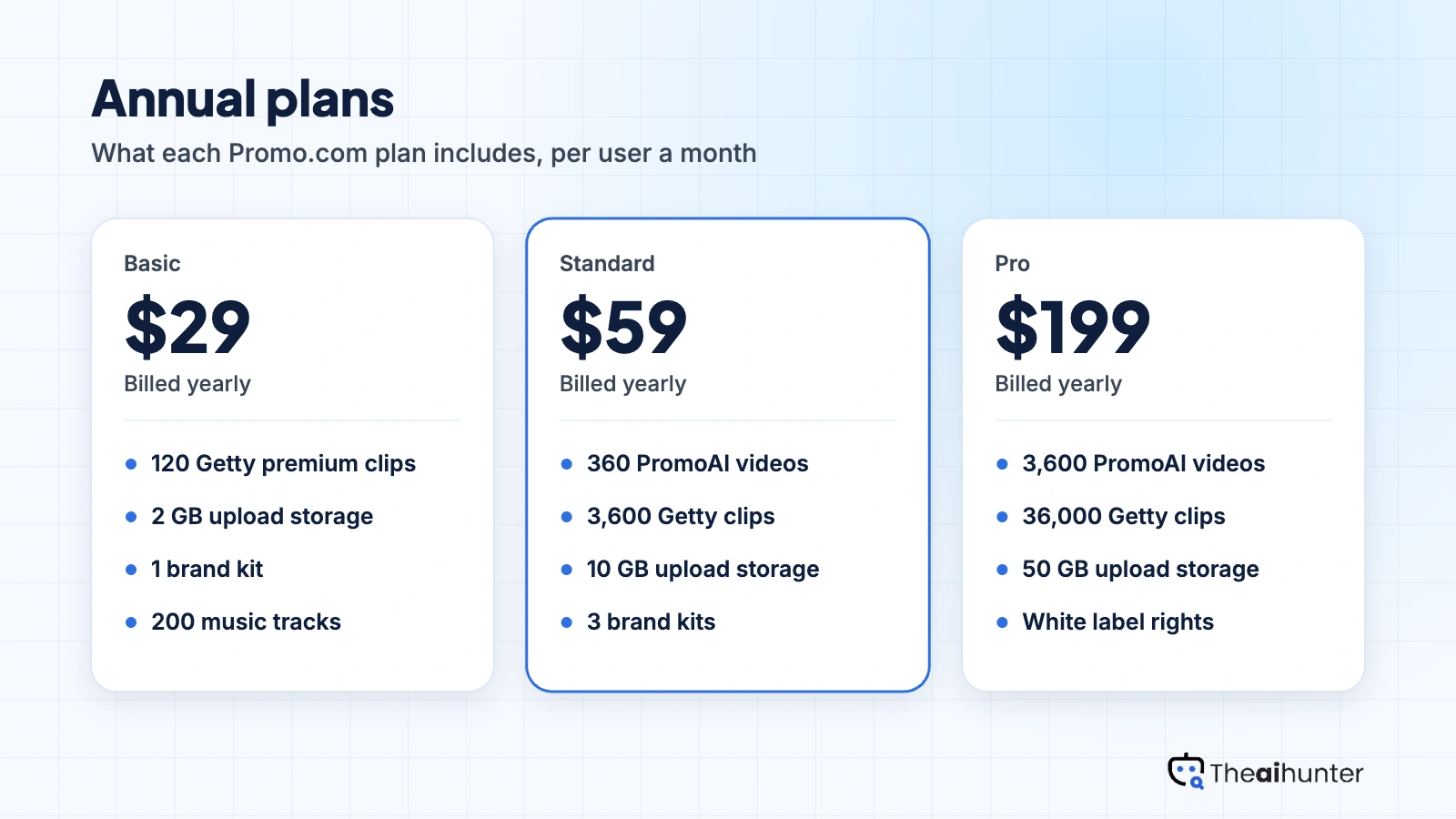
Promo.com prices by the PromoAI videos and Getty clips each plan includes, with annual billing at about half the monthly rate.
| Plan | Price a month | Credits | Video, roughly | What it adds |
|---|---|---|---|---|
| Basic | $29 | 120 | None listed | 2 GB storage, 1 brand kit, 200 music tracks |
| StandardMost creators | $59 | 3,600 | 360 | 10 GB storage, 3 brand kits, 1,000 music tracks |
| Pro | $199 | 36,000 | 3,600 | 50 GB storage, 10 brand kits, white label and reselling rights |
USD prices from the Promo.com pricing page, checked November 18, 2026. Annual billing: Basic $29, Standard $59 and Pro $199 a month, billed yearly as $348, $708 and $2,388. Monthly billing: $59, $119 and $399, with no discount. Business is custom. Prices change, so the checkout is final.
What a month of content really costs
Basic gives 120 Getty clips, 200 music tracks and one brand kit, with no PromoAI videos listed.
Standard adds 360 PromoAI videos, 3,600 Getty clips and three brand kits.
Pro gives 3,600 PromoAI videos, 36,000 clips, 10 brand kits and white label and reselling rights.
Prices shown are annual-billing rates per user a month. Monthly billing costs about double, and payment is a single upfront installment.
Can you monetize Promo.com videos?
We could not confirm it in plain terms. Promo.com lists licensed Getty clips and music in every plan, but its pricing page does not state commercial use or watermark rules, and reselling rights appear only on Pro and Business.
| What you want to do | Basic | Standard | Pro |
|---|---|---|---|
| Getty premium clips included | 120 | 3,600 | 36,000 |
| Licensed music tracks | 200 | 1,000 | 2,000 |
| White label and reselling | No | No | Yes |
| Commercial use terms | Not spelled out | Not spelled out | Not spelled out |
| Watermark rules | Not stated | Not stated | Not stated |
| Brand kits | 1 | 3 | 10 |
| PromoAI videos | None listed | 360 | 3,600 |
Ask Promo.com support for its commercial license terms in writing and keep a record of the plan for each video. Reselling or white labeling client work needs the Pro or Business plan.
Promo.com features for creators
Six parts of the platform, each tied to the plan that sets its limit.
Video templates
Ready layouts for social posts, ads and promo videos.
All plansGetty premium clips
Licensed Getty footage sits inside the editor, with 120 clips on Basic and 36,000 on Pro.
Capped by planPromoAI
A video copilot that builds videos from your input. Basic lists none and Standard lists 360.
Standard and above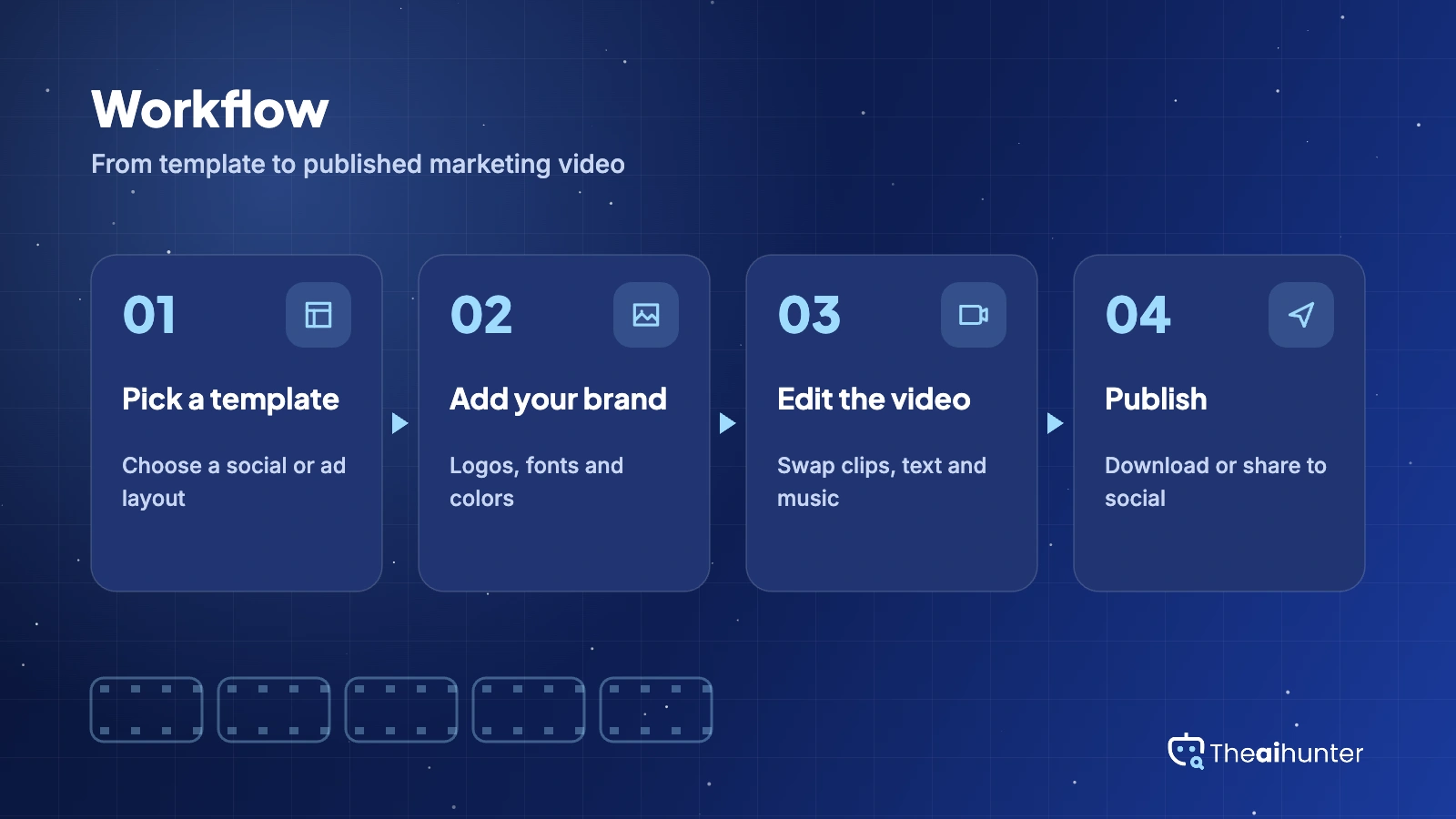
Brand kits
Save logos, fonts and colors so every video matches your brand, from one kit on Basic to ten on Pro.
Capped by planLicensed music
Choose from 200 tracks on Basic up to 2,000 on Pro, cleared for use in your videos.
Capped by planWhite label and reselling
Pro and Business plans add white label and reselling rights for agency work.
Pro and abovePros and cons
Pros
- Polished templates that need little design skill
- Licensed Getty footage and music included in each plan
- Brand kits keep logos, fonts and colors consistent
- White label and reselling rights on Pro for agencies
Cons
- No free plan, only a 7-day refund if you publish nothing
- Monthly billing is about double the annual rate
- Basic lists no PromoAI videos, and AI features are limited, reviewers say
- Commercial and watermark terms are not spelled out on the pricing page
What users complain about
The problems reported most often on GetApp, Capterra and independent reviews, as of November 2026.
Pricing and flexibility
GetApp reviewers say pricing could be more flexible, with some wanting pay-per-use or cheaper plans. Fix: compare annual and monthly totals before you choose.
Billing and refunds
GetApp lists billing issues and cancel and refund among the topics reviewers raise, and annual plans are paid upfront. Fix: use the 7-day refund window and note the renewal date.
Support access
A GetApp reviewer says it can be hard to reach customer service when problems come up. Fix: contact support before you buy and keep your account emails.
Limited AI features
One independent review says Promo.com lacks advanced AI features compared with newer generators and calls it expensive. Fix: pair it with a generator for original clips.
Promo.com alternatives
If you want a free plan, cheaper monthly billing or stronger AI generation, these four are worth comparing.


Promo.com FAQ
Is Promo.com free?
No. There is no free plan. Promo.com offers a 7-day money-back guarantee if you have not published any videos, so you can test a paid plan and cancel within the first week.
How much does Promo.com cost?
On annual billing, Basic is $29 a month, Standard is $59 and Pro is $199 per user, billed yearly as $348, $708 and $2,388. Business is custom priced. The pricing page says subscriptions begin at $59 a month on monthly billing.
Is Promo.com cheaper billed yearly?
Yes, by about half. Monthly billing is $59 for Basic, $119 for Standard and $399 for Pro, and Promo.com says the monthly plan offers no discounts. Payment is a single upfront installment, so a yearly plan is paid in full at the start.
Can I monetize Promo.com videos?
The pricing page lists licensed Getty clips and licensed music in each plan, but it does not state commercial use or watermark rules in plain words. Ask support for the license terms in writing before client or monetized work.
How many Getty clips does Promo.com include?
It depends on the plan: 120 on Basic, 3,600 on Standard and 36,000 on Pro, with unlimited clips on Business. Older Promo.com announcements about unlimited premium clips no longer match the current plans.
What are PromoAI videos in Promo.com?
PromoAI is Promo.com’s video copilot, and plans are sized by how many PromoAI videos you can make. Basic lists none, Standard lists 360 and Pro lists 3,600, so the plan you pick sets how much AI creation you get.
Can I get a refund from Promo.com?
Yes, within limits. The pricing page offers a full refund if you cancel in the first 7 days and have not published any videos. After that, GetApp lists billing and refunds among the topics reviewers raise, so note your renewal date.
Does Promo.com offer white label rights?
Yes, on higher plans. White label and reselling rights are listed on Pro and Business, and not on Basic or Standard. Agencies that deliver videos to clients under their own brand need Pro or above.
What is the best Promo.com alternative?
FlexClip suits a cheaper editor with a free plan, InVideo AI works from a prompt, and VEED offers browser editing with more AI tools. Promo.com fits best when licensed Getty footage and brand kits matter.
How we review AI video tools
Every video tool on Theaihunter goes through the same four steps and gets the same eight scores, so any two video tool scores on this site can be compared directly.
Read the vendor’s own pages
Plans, credit and minute limits, and license terms come from the product’s site first. We note the date we checked each one.
Test what we can reach
We sign up and check what the free plan and settings allow. When a login or paid credits are needed to go further, the review says what we did not test. Samples go on the page only when the license permits it.
Cross-check what users report
Independent reviews and user complaints from the last six months show what the sales page leaves out. Numbers copied across lookalike sites count once.
Score, date and update
Eight areas get a score from 1 to 5. When pricing or plans change, we recheck the review and log the change in its history.
How the score works
Each area is scored from 1 to 5. The overall score is their average, rounded to one decimal.
It is the same number on the review, the category page and anywhere else the tool appears.
- No review, no score. Tools we have not reviewed in full are never ranked.
- A strong output cannot hide unclear licensing, because each area is scored on its own.
Some links earn us a commission. A score or verdict is never changed because of one.
Prices, credits and limits are checked against the vendor’s pages and dated. When sources disagree, the review says so.
If we used a feature, we say so. If a detail comes from user reports, the review labels it as reported.
Ready to try Promo.com?
There is no free plan, so use the 7-day refund window if you have not published a video, and compare annual and monthly totals first.
