

Is Revid AI worth it?
Yes, if you publish short videos daily and accept that credits run out faster than the plan page suggests. The Growth plan is the one most creators need.
Choose Revid AI if you
- Post short-form video every day and want to publish from the same tool
- Want to remix formats that already perform on TikTok or Reels
- Need AI music videos, avatars or podcast-style clips
- Want API, MCP or CLI access to automate publishing
Look elsewhere if you
- Need written commercial and watermark terms before client work
- Retry generations often and cannot absorb lost credits
- Want a permanent free plan to test with
- Need consistent human-looking characters across scenes
Revid AI scores
Eight creator-focused checks, each out of 5. We scored Revid AI from the vendor’s pricing page, independent reviews and user complaints, checked in November 2026.
The vendor offers Seedance-class models up to 4K, yet Trustpilot reviewers report extra limbs and mutated characters on some videos.
More than 100 AI video tools, avatars, face swaps, music videos and 3M+ viral videos to remix give wide creative range.
Videos stay editable after generation, and one-click remix helps you rework a format. Users report that fixing AI mistakes can take a long time.
Start from text, a link or a remix and get a draft fast. Trustpilot reviewers call it intuitive and quick to learn.
The pricing page says every plan includes 100% content ownership but does not state commercial use or watermark terms.
Growth at $39 gives 2,000 credits, but a 30-second video costs about 40 to 80 credits and users say retries drain them.
Plan credits reset each month and do not roll over, and users report credits charged for failed or unusable generations.
New accounts get free credits, reported at 70, but export terms are unclear and there is no permanent free plan.
Revid AI pricing in 2026
Revid AI bills in credits, and the model you pick sets the cost. A 30-second video with moving images and voiceover costs about 40 to 80 credits.
| Plan | Price a month | Credits | Video, roughly | What it adds |
|---|---|---|---|---|
| Hobby | $39 | Not stated | Not stated | Create from text or links, remix 3M+ viral videos |
| GrowthMost creators | $39 (was $99) | 2,000 | About 25 to 50 videos of 30 seconds | Publishing, 100+ AI video tools, API, MCP and CLI |
| Ultra | $199 | 12,000 | About 150 to 300 videos of 30 seconds | Voice cloning, 10 Auto-Mode workers, 50 channels watched |
USD prices from the Revid pricing page, checked November 18, 2026. Growth shows a promo price that the page says is locked in, and yearly billing lowers it to $32 a month, with Ultra at $166. Larger Ultra tiers run up to 200,000 credits. Prices change, so the checkout is final.
What a month of content really costs
12 videos of 30 seconds use 480 to 960 credits, so Growth covers it with room for retries.
30 videos of 30 seconds use 1,200 to 2,400 credits. Growth usually holds, and a 1,000-credit boost at $49 covers the worst case.
150 videos of 30 seconds use 6,000 to 12,000 credits, so Ultra at 12,000 is the fit, with no spare credits at the top of the range.
Our estimates use the vendor’s figure of 40 to 80 credits for a 30-second video with moving images and voiceover. Retries and heavier models cost more.
Can you monetize Revid AI videos?
We could not confirm it. Revid says every plan includes 100% content ownership, but its pricing page does not state commercial use or watermark rules, and independent sources disagree on the free plan.
| What you want to do | Hobby | Growth | Ultra |
|---|---|---|---|
| Monetize on YouTube or TikTok | Not stated | Not stated | Not stated |
| Use in client work | Not stated | Not stated | Not stated |
| Watermark rules | Not stated | Not stated | Not stated |
| Content ownership | Stated | Stated | Stated |
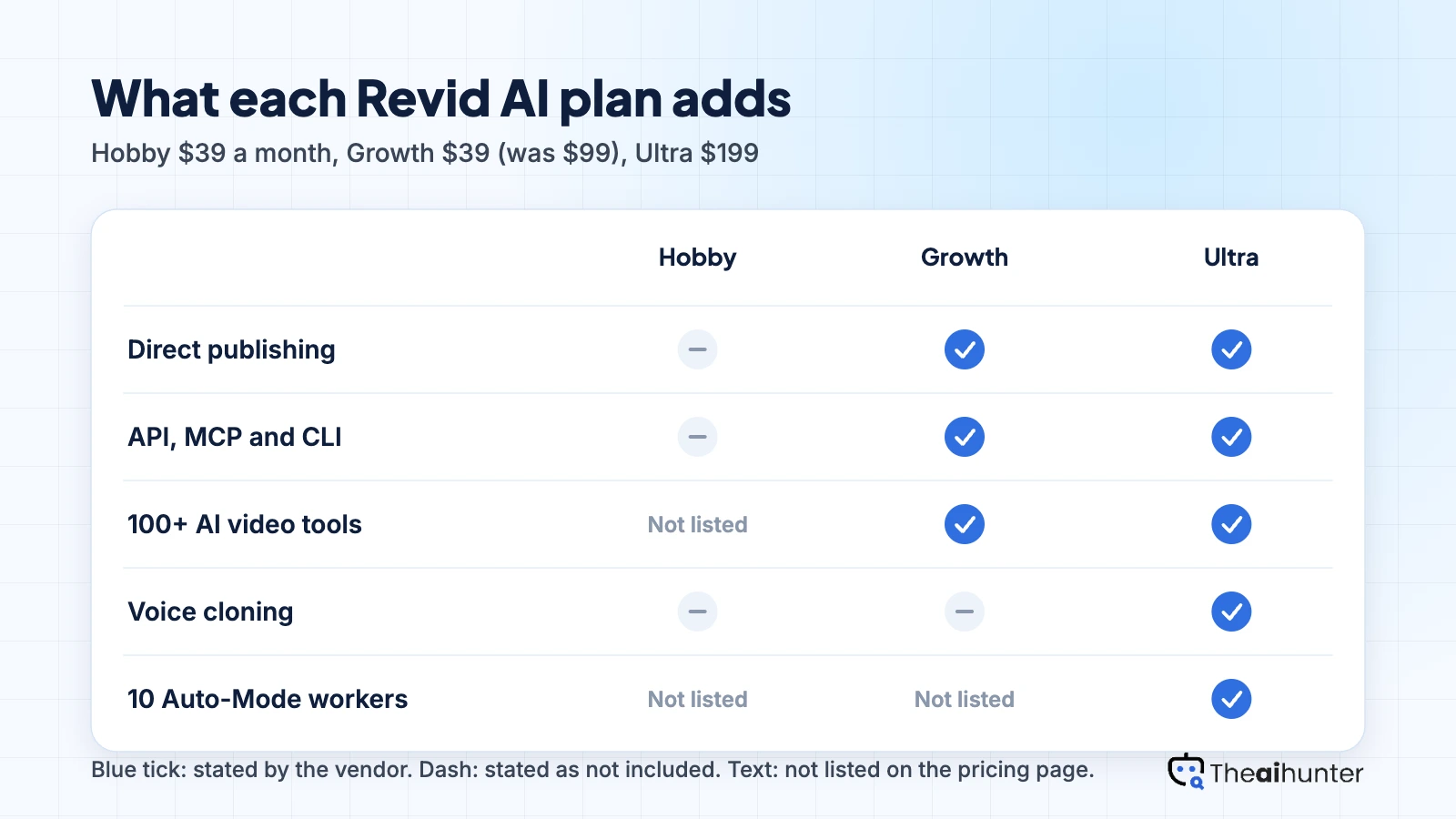
| Direct publishing | Not listed | Yes | Yes |
| API, MCP and CLI | Not listed | Yes | Yes |
| Voice cloning | No | No | Yes |
Ask Revid support for the commercial terms in writing before client or monetized work, and keep a record of the plan you used for each video. Some third-party sites report a watermark and no commercial rights on the free plan, which Revid’s pages do not confirm.
Revid AI features for creators
Six ways to build a short video, each tied to the plan or credit cost that applies.
Text and link to video
Start from a prompt, script or web link and Revid builds a short with visuals, voiceover and captions.
About 40 to 80 credits100+ AI video tools
Pick from video models and tools, including Seedance, with output the vendor says reaches 4K.
Growth and aboveMusic video creation
Turn a song or lyrics into a video with AI visuals, a format Revid promotes with its own page.
Credits by model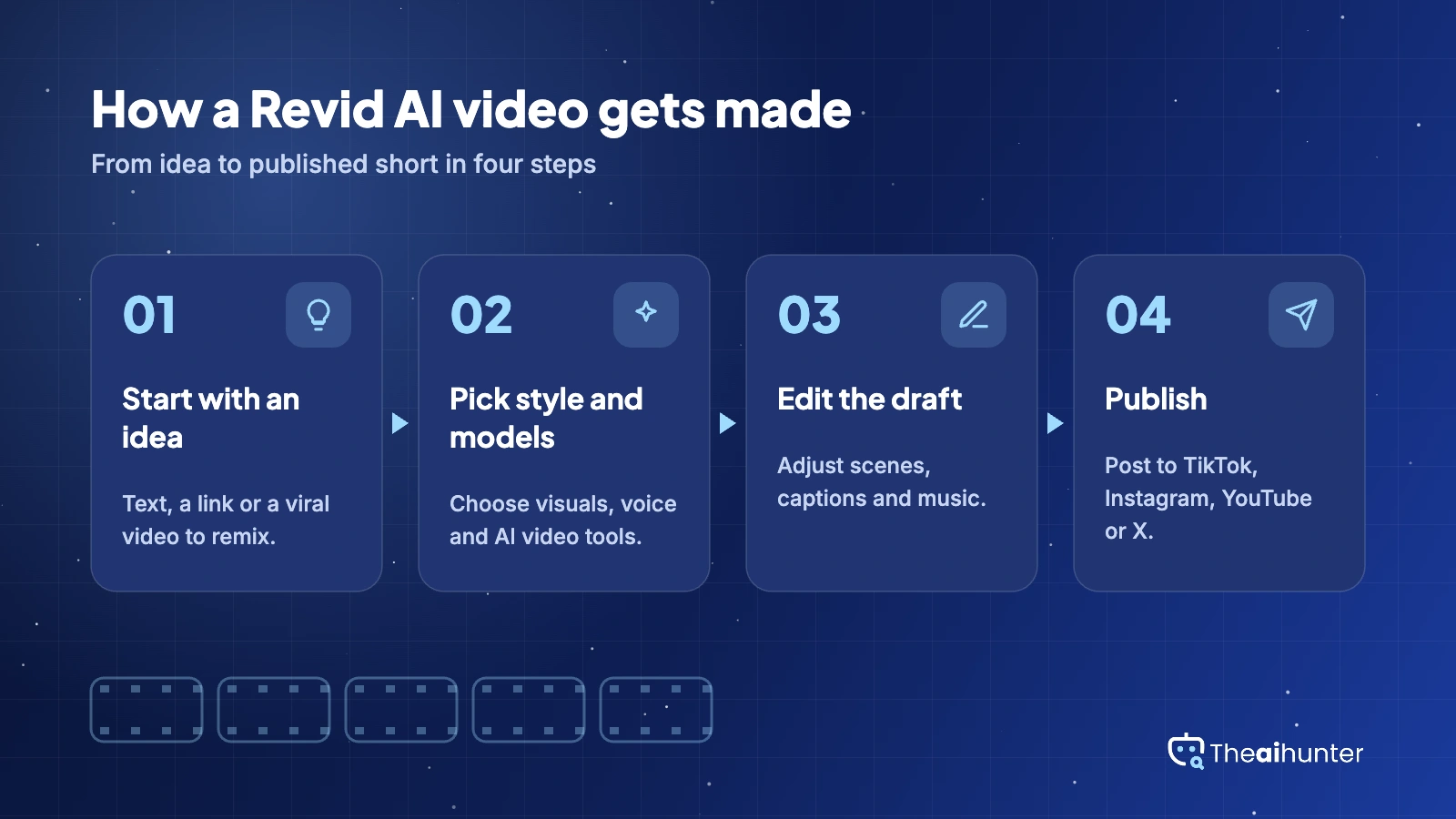
Viral remix library
Search 3M+ viral videos and remix a format that already performs, then change it to fit your topic.
All plansPublishing and stats
Post to TikTok, Instagram, YouTube and X from the app and read post stats, then remix what works.
Growth and aboveAuto-Mode, API and MCP
Auto-Mode workers run creation for you, and Growth adds API, MCP and CLI access for automation.
3 workers on GrowthPros and cons
Pros
- Create, remix and publish to four social platforms from one tool
- Large remix library of 3M+ viral videos and 100+ AI video tools
- Growth includes API, MCP and CLI access plus Auto-Mode workers
- Ownership of your content is stated on every plan
Cons
- Credits are charged for failed or unusable generations, users report
- Visual glitches such as extra limbs appear in some outputs
- Commercial use and watermark terms are not stated on the pricing page
- No permanent free plan, and plan credits do not roll over
What users complain about
The problems reported most often on Trustpilot, GetApp and Capterra, as of November 2026.
Credits go on failed generations
GetApp and Trustpilot reviewers say credits are deducted for failed or unusable videos, which forces paid retries. Fix: test one scene before rendering the full video, and note the credit cost per model.
Mutated characters and visual glitches
Reviewers report extra limbs, missing hands and chaotic transitions. Fix: use shorter scenes, regenerate single shots, and avoid prompts with many characters.
Billing and cancellation problems
Some Trustpilot reviewers report charges after cancelling and slow support replies, and Revid has replied that it investigates billing cases. Fix: cancel before the renewal date and keep your receipts.
Unclear credit costs
One reviewer on the 70-credit trial could not find a guide to credits per video. The vendor now says a 30-second video costs about 40 to 80 credits. Fix: use that range to plan before you subscribe.
Revid AI alternatives
If you want predictable pricing, voiceover-led videos or a different editing style, these four are worth comparing.



Revid AI FAQ
Is Revid AI free?
Not as a permanent plan. New accounts get free credits, reported at 70, and you can search viral videos, but export terms are unclear and creating videos uses credits. Paid plans start at $39 a month.
How much does Revid AI cost a month?
Growth is $39 a month at its current promo price, or $32 a month billed yearly. Ultra is $199 a month, or $166 billed yearly, with larger Ultra tiers up to 200,000 credits. Hobby is also listed at $39.
Can I monetize Revid AI videos?
Revid says every plan includes 100% content ownership, but its pricing page does not state commercial use or watermark rules. Get the terms in writing from Revid support before client or monetized work.
How many videos do Revid AI credits cover?
The vendor says a 30-second video with moving images and voiceover costs about 40 to 80 credits. That makes 2,000 Growth credits roughly 25 to 50 videos, and 12,000 Ultra credits roughly 150 to 300. Credits reset each month and do not roll over.
Can Revid AI post to TikTok and YouTube?
Yes. Growth includes publishing to TikTok, Instagram, YouTube and X, with post stats and one-click remix. The Hobby card does not list publishing.
Does Revid AI have an API?
Yes. Growth and Ultra include API, MCP and CLI access. The Hobby card does not list it, though the pricing FAQ says all plans include it.
What is the best Revid AI alternative?
Fliki suits voiceover-led videos, InVideo AI works from a prompt with an AI agent, and HeyGen suits presenter-led clips. Compare credit rules before you commit, since credits decide the real cost.
How we review AI video tools
Every video tool on Theaihunter goes through the same four steps and gets the same eight scores, so any two video tool scores on this site can be compared directly.
Read the vendor’s own pages
Plans, credit and minute limits, and license terms come from the product’s site first. We note the date we checked each one.
Test what we can reach
We sign up and check what the free plan and settings allow. When a login or paid credits are needed to go further, the review says what we did not test. Samples go on the page only when the license permits it.
Cross-check what users report
Independent reviews and user complaints from the last six months show what the sales page leaves out. Numbers copied across lookalike sites count once.
Score, date and update
Eight areas get a score from 1 to 5. When pricing or plans change, we recheck the review and log the change in its history.
How the score works
Each area is scored from 1 to 5. The overall score is their average, rounded to one decimal.
It is the same number on the review, the category page and anywhere else the tool appears.
- No review, no score. Tools we have not reviewed in full are never ranked.
- A strong output cannot hide unclear licensing, because each area is scored on its own.
Some links earn us a commission. A score or verdict is never changed because of one.
Prices, credits and limits are checked against the vendor’s pages and dated. When sources disagree, the review says so.
If we used a feature, we say so. If a detail comes from user reports, the review labels it as reported.
Ready to try Revid AI?
Start with the free credits to see the output quality, then check how many credits your first video uses before choosing a plan.
