

Is Picsart worth it?
For all-round creative work on phone and web, yes. For one narrow job, a focused tool costs less.
Choose Picsart if you
- Make social posts, photos and short videos
- Want AI backgrounds and image tools in one app
- Edit on both phone and browser
- Run a small team with bulk edits
Look elsewhere if you
- Need exact AI credit limits stated up front
- Dislike ads in the free version
- Need commercial terms on the pricing page
- Need one narrow tool at a low cost
Picsart scores
Eight creator-focused checks, each out of 5. The overall score is their average and matches the score shown everywhere on the site.
Reviewers praise the AI image, background and video tools, with credit loss on some video generations.
AI generation follows prompts reasonably, though credit use per task confuses some paying users.
Templates, layers and effects give broad control for social and design work.
The toolset spans photo, video and graphic design, from basic to advanced edits.
Reviewers find navigation simple and the interface intuitive, even as a beginner.
The pricing page does not state commercial use, so confirm it in the terms.
Pro costs $10.50 a month on yearly billing, but credit limits and price changes frustrate some users.
A free version covers basic work, with a long ad when saving according to one reviewer.
Picsart pricing in 2026
Picsart prices plans per month with yearly billing, and AI credits scale on higher tiers.
| Plan | Price a month | AI credits | Real output, roughly | What it adds |
|---|---|---|---|---|
| Free | $0 | Basic | Basic editing, ads on save | No pricing page limits stated. Reviewers say basic work is free |
| Pro | $10.50 | Fixed monthly credits | Credits renew each month | Listed at $15, billed yearly. Saves $54 a year |
| Ultra | $60 | 1,500 to 10,000+ a month | Slider sets the credit amount | Listed at $75, billed yearly. Team seats, 300 GB per seat, bulk edit of 100 images |
Prices from the pricing page we read on November 18, 2026. Monthly-billing prices are not shown, and the credit count for Pro was not readable in the page text.
What a month of use really costs
Basic editing with ads when you save.
Yearly billing, with AI credits each month.
Team seats, bulk edit and a credit slider.
Add-on credits never expire, per the pricing page. Subscription credits renew each month. Yearly billing is required for the lowest prices shown.
Can you use Picsart images commercially?
The pricing page does not state commercial use. Read the terms of use before you use outputs in client or brand work.
| What you get | Free | Pro | Ultra |
|---|---|---|---|
| AI credits each month | Limited | Yes | 1,500 to 10,000+ |
| Team seats | No | Not stated | Yes |
| Bulk edit up to 100 images | No | Not stated | Yes |
| Add-on credits | Not stated | Not stated | Yes |
| Commercial use | Not stated | Not stated | Not stated |
| Refund policy | Not stated | Not stated | Not stated |
We read the pricing page, not the full terms. Reviewers report difficulty getting refunds for credits lost to failed video generations.
Picsart features
A broad creative app that mixes editing, design and AI.
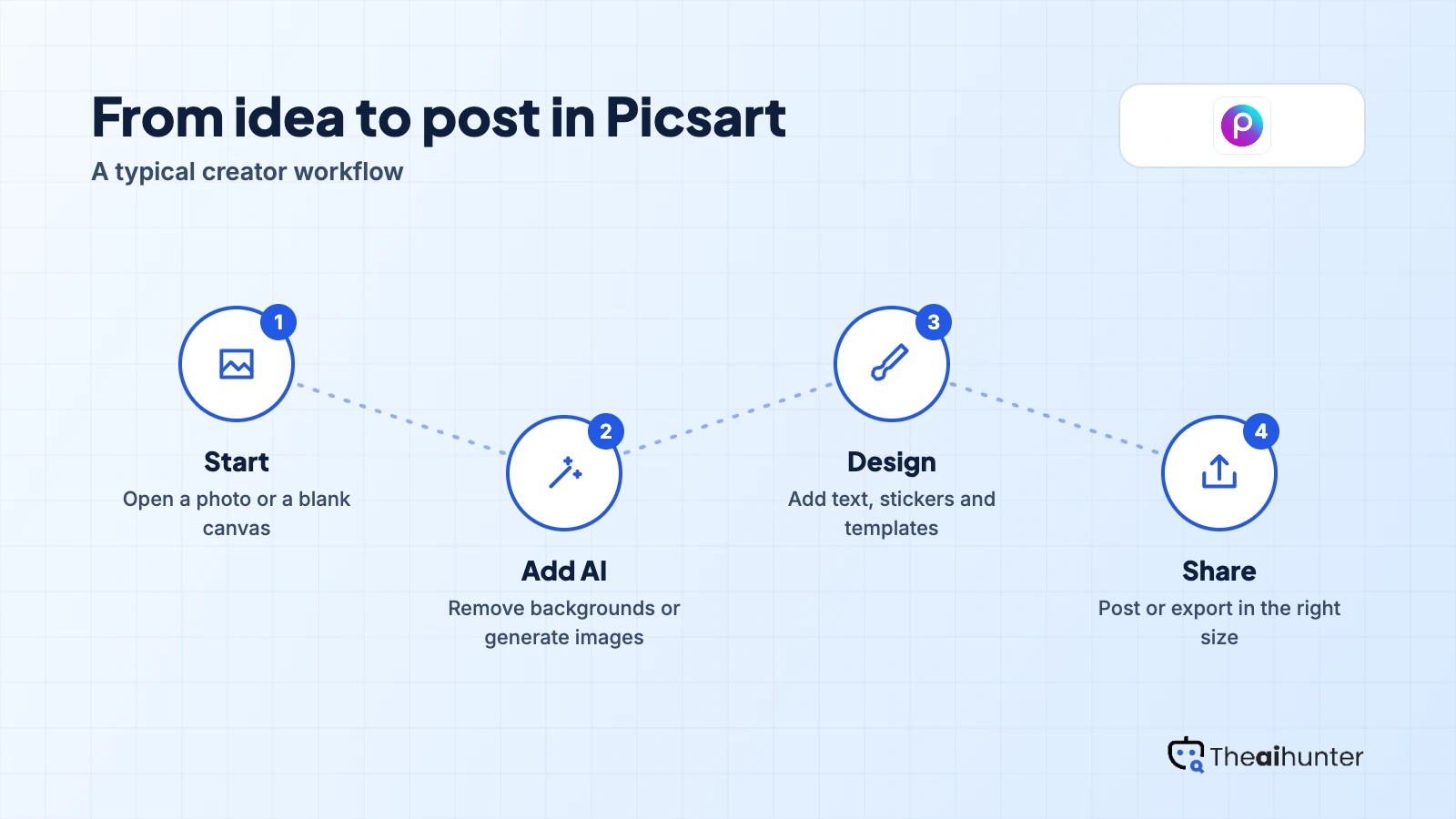
Photo editor
Edit, retouch and apply effects.
Core toolAI backgrounds
Remove or generate backgrounds.
AI creditsAI image generation
Create images from prompts.
AI credits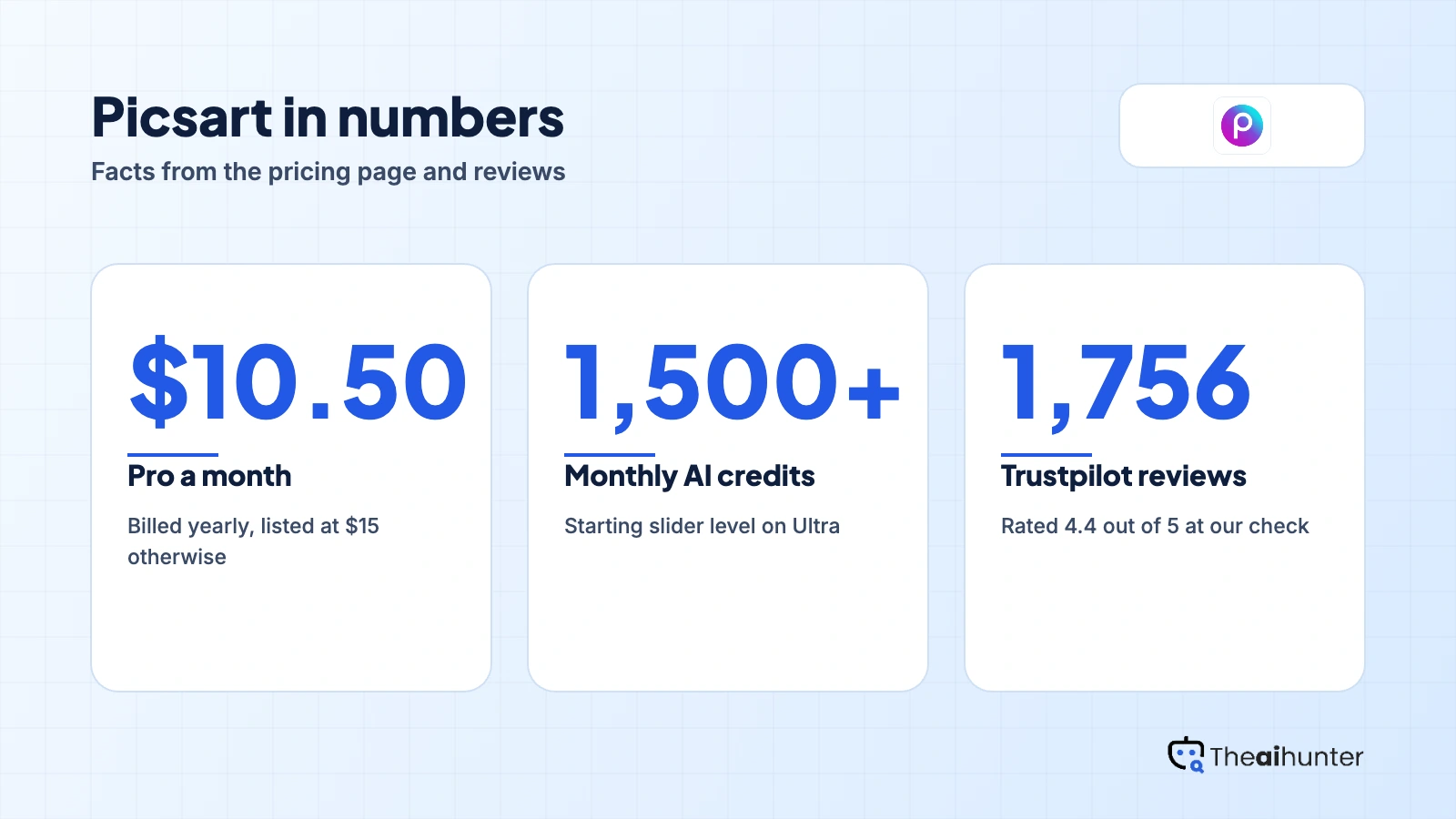
Templates
Start social posts from layouts.
Core toolVideo tools
Edit and generate short videos.
AI creditsTeam features
Seats, brand kits and bulk edit.
UltraPros and cons
Pros
- Wide toolset across photo, video and design
- Simple interface that beginners can follow
- Works on mobile and web
- Free version for basic edits
Cons
- AI credit rules confuse some paying users
- Credits lost on failed video jobs, per reviewers
- Ads when saving in the free version
- Commercial use is not stated
What users complain about
Picsart has a large review base, so these points come from Trustpilot, read on November 18, 2026.
4.4 from 1,756 reviews
Most reviewers praise the toolset and ease of use.
Unclear deductions
A paying user was confused by credit deductions and felt the terms were unclear.
Lost credits, hard refunds
Some reported credits lost to video glitches and trouble getting a refund.
Price changes
Some felt premium plans are expensive and that prices changed unexpectedly.
Picsart alternatives
If you want a narrower tool or different design features, these reviews are the closest fits.




Picsart FAQ
Is Picsart free?
There is a free version for basic editing, with ads when you save, according to reviewers. The pricing page does not list its limits.
How much does Picsart cost?
Pro shows at $10.50 a month billed yearly, listed at $15. Ultra shows at $60 a month billed yearly, listed at $75.
What does Picsart Ultra include?
A credit slider from 1,500 to 10,000 plus monthly, team seats, 300 GB of storage per seat, 10 plus brand kits and bulk edit of 100 images.
Do Picsart add-on credits expire?
The pricing page says add-on credits never expire. Monthly plan credits renew each month.
Can I get a refund from Picsart?
The pricing page states no refund policy, and some reviewers report trouble getting refunds for lost credits.
Does Picsart work on mobile and web?
Yes. Reviewers highlight working across the mobile app and the web editor.
Does Picsart have team plans?
Yes. Ultra adds team seats, brand kits and bulk edit.
Can I use Picsart images commercially?
The pricing page does not say. Read the terms of use before you use outputs in client work.
How we review AI image tools
Every image tool on Theaihunter goes through the same four steps and gets the same eight scores, so any two image tool scores on this site can be compared directly.
Read the vendor’s own pages
Plans, credit and image limits, and license terms come from the product’s site first. We note the date we checked each one.
Test what we can reach
We sign up and check what the free plan and settings allow. When a login or paid credits are needed to go further, the review says what we did not test. Samples go on the page only when the license permits it.
Cross-check what users report
Independent reviews and user complaints from the last six months show what the sales page leaves out. Numbers copied across lookalike sites count once.
Score, date and update
Eight areas get a score from 1 to 5. When pricing or plans change, we recheck the review and log the change in its history.
How the score works
Each area is scored from 1 to 5. The overall score is their average, rounded to one decimal.
It is the same number on the review, the category page and anywhere else the tool appears.
- No review, no score. Tools we have not reviewed in full are never ranked.
- A strong output cannot hide unclear licensing, because each area is scored on its own.
Some links earn us a commission. A score or verdict is never changed because of one.
Prices, credits and limits are checked against the vendor’s pages and dated. When sources disagree, the review says so.
If we used a feature, we say so. If a detail comes from user reports, the review labels it as reported.
Ready to try Picsart?
Start on the free version, then pick Pro on yearly billing only if you use the AI tools weekly.
