

Is Lexica worth it?
Yes if prompt research is part of how you work, because the searchable library is unique and Starter is cheap. For most image making, Leonardo AI or Ideogram give you a free plan and stronger tools, and Lexica’s own generator is competent rather than class-leading.
Choose Lexica if you
- Study what prompts produce which looks
- Want a cheap monthly plan with commercial rights
- Like starting from a similar image and its prompt
- Make photo-style or editorial visuals in volume
Look elsewhere if you
- Need a free plan for generation
- Want private images without paying $60
- Need heavy editing or custom models
- Want the most polished artistic output
Lexica scores
Eight creator-focused checks, each out of 5. The overall score is their average and matches the score shown everywhere on the site.
Aperture v4 produces strong photo-style and editorial images. It trails FLUX and Midjourney on raw polish.
Prompts that work in the library tend to work in the generator, which helps. Long, detailed instructions still need rerolls.
You get guidance scale, dimensions, seed and negative prompts. There are no custom models or fine-tuning.
Variations and upscaling cover basic needs. There is no canvas editor like Leonardo’s.
A clean web interface with no Discord. Search is fast and easy to learn.
Starter has a solo commercial license, while Pro and Max cover business use. Public-by-default images on lower plans are easy to miss.
Starter at $10 is a fair entry price, but Midjourney and Leonardo AI give you more at similar prices.
Searching the library is free. Generating images needs a paid plan, and sources disagree on whether any free generation remains.
Lexica pricing in 2026
Lexica sells three paid plans billed by fast generations, with a free tier that covers browsing. Pro adds a slow queue with a daily cap, and Max adds unlimited slow generations and private images.
| Plan | Price a month | Fast generations | Real output, roughly | What it adds |
|---|---|---|---|---|
| Free | $0 | Search only | Browse prompts and images | Generation needs a plan |
| Starter Most creators | $10 | 1,000 a month | About 1,000 images | Solo commercial license, 2 parallel jobs |
| Pro | $30 | 3,000 a month | About 3,000 images | Slow queue with a daily cap, full commercial license |
| Max | $60 | Largest fast pool | Unlimited slow generations | Private images, full commercial license |
Monthly prices from independent trackers in October and November 2026. Annual billing is reported at about 20% less. Some trackers still list a free generation tier, while the account FAQ reported by others says generation needs a subscription. Plans change, so the checkout price is final.
What a month of content really costs
About 120 images a month. That sits well inside 1,000 fast generations.
About 450 images a month. Starter still covers it with room for experiments.
About 1,200 images a month passes Starter. Pro gives 3,000 fast generations and a full commercial license for business use.
Our estimates, assuming one fast generation produces one usable image. Rerolls and upscales use more, so treat the figures as a guide.
Can you use Lexica images commercially?
Yes, on a paid plan. Starter includes a solo commercial license. Pro and Max add a full license for business use.
| What you want to do | Free | Starter | Pro | Max |
|---|---|---|---|---|
| Commercial use as an individual | No | Yes | Yes | Yes |
| Commercial use for a business | No | No | Yes | Yes |
| Keep generations private | No | No | No | Yes |
| Unlimited slow generations | No | No | Daily cap | Yes |
| Search the prompt library | Yes | Yes | Yes | Yes |
Images are public on Starter and Pro, and only Max keeps them private. Lexica gives no IP indemnification, and AI images may not qualify for copyright protection in every country. Read the current terms before business use.
Lexica features for creators
What you can do with it, and what each part needs.
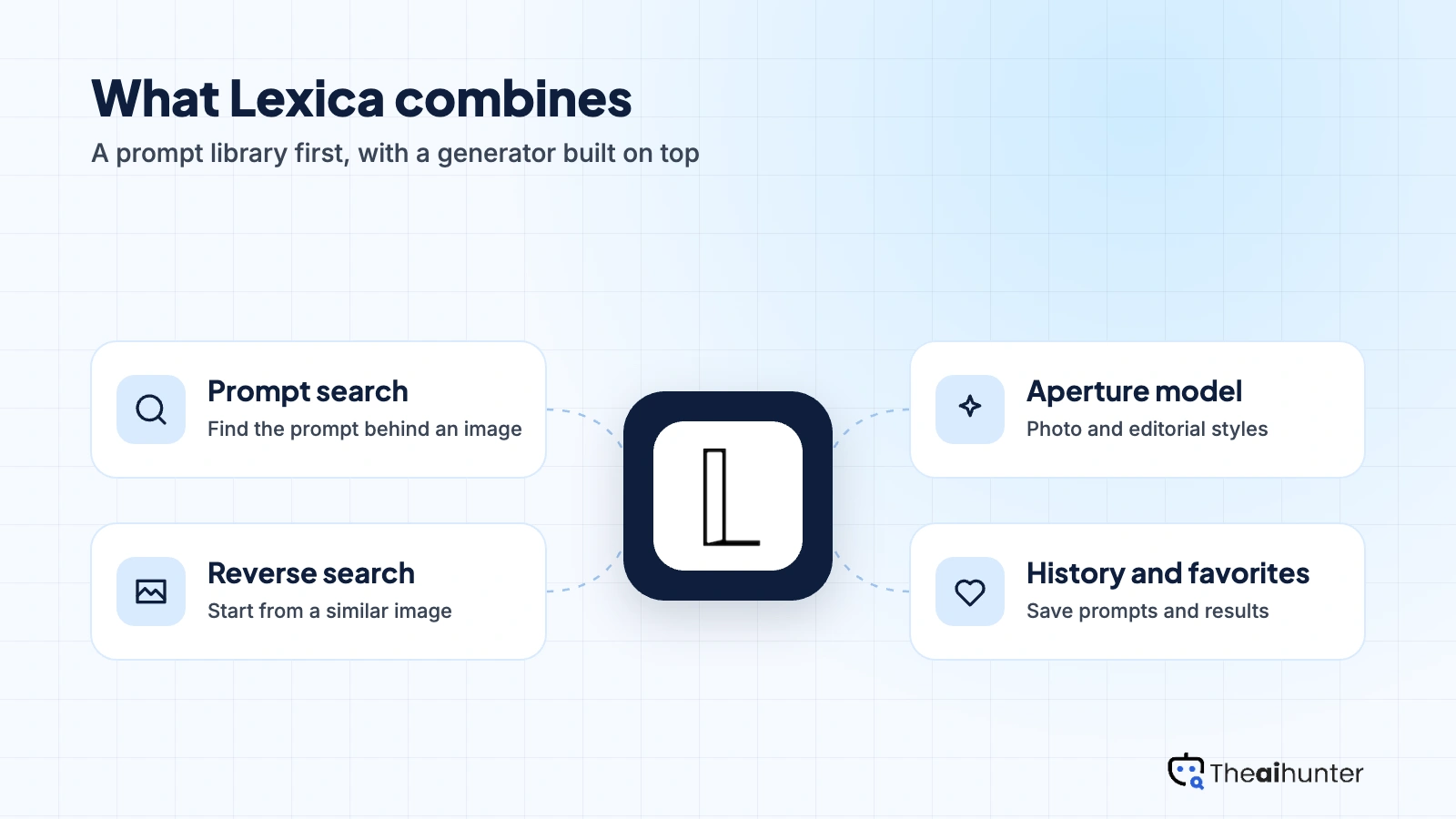
Prompt search
Search a large library of AI images and read the exact prompt behind each result, which is the fastest way to learn what works.
FreeReverse image search
Start from a similar image and find the prompts and results close to it.
FreeAperture generator
Lexica’s own model, now at version 4, aimed at photo-style and editorial images.
Paid plans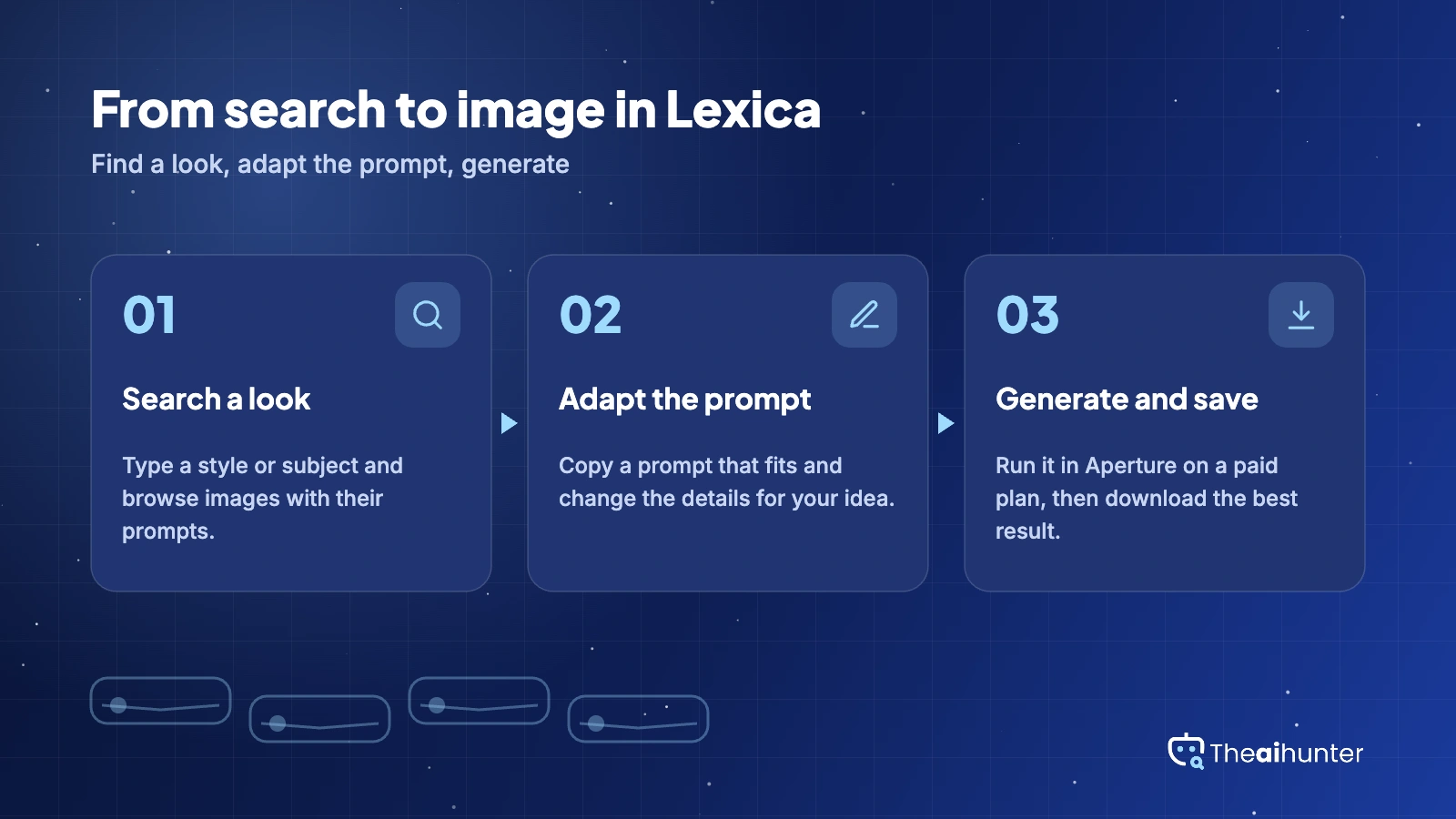
Generation controls
Adjust guidance scale, dimensions, seed and negative prompts for finer control.
Paid plansVariations and upscaling
Create alternate versions of an image or increase its resolution.
Paid plansHistory and favorites
Save prompts and outputs and revisit past generations across sessions.
AccountPros and cons
Pros
- Searchable prompt library with the exact prompts
- Low entry price at $10 a month
- Commercial license from the first paid plan
- Unlimited slow generations on Max
Cons
- Generation needs a paid plan
- Images are public below the $60 Max plan
- Output trails the leading generators
- No custom models or canvas editor
What users complain about
Reviews on features are positive. Complaints are mainly about billing and access.
Generation is no longer free
You can search for free, but creating images needs a plan. Some older guides still advertise free generations. Fix: check the account page before you rely on any free tier.
Public images on lower plans
Starter and Pro generations are public by default, and only Max is private. Fix: use Max for client or unreleased work.
Billing complaints
Reviewers on Trustpilot rate it low, with refund and cancellation issues cited. Fix: cancel before renewal and keep the confirmation.
Quality trails the leaders
Aperture is competent but behind Midjourney on polish and behind newer chat models on text. Fix: use Lexica for research and another tool for finals.
Lexica alternatives
If you want a free plan, private images or deeper editing, compare these.


Lexica FAQ
Is Lexica free?
Searching the prompt library is free. Generating images needs a paid plan starting at $10 a month, although some trackers still list a small free allowance.
How much does Lexica cost?
Starter is $10 a month, Pro is $30 and Max is $60. Annual billing is reported at about 20% less.
Can I use Lexica images commercially?
Yes, on paid plans. Starter has a solo commercial license, and Pro and Max cover business use.
Are Lexica images private?
Only on Max. Images on Starter and Pro are public by default.
What is Lexica Aperture?
It is Lexica’s own image model, now at version 4, aimed at photo-style and editorial images.
Is Lexica better than Midjourney?
For prompt research and price, it competes. For the most polished artistic images, Midjourney still leads.
What is the best Lexica alternative?
Leonardo AI for a free tier and editing, Ideogram for text in images, and Midjourney for polish.
How we review AI image tools
Every image tool on Theaihunter goes through the same four steps and gets the same eight scores, so any two image tool scores on this site can be compared directly.
Read the vendor’s own pages
Plans, credit and image limits, and license terms come from the product’s site first. We note the date we checked each one.
Test what we can reach
We sign up and check what the free plan and settings allow. When a login or paid credits are needed to go further, the review says what we did not test. Samples go on the page only when the license permits it.
Cross-check what users report
Independent reviews and user complaints from the last six months show what the sales page leaves out. Numbers copied across lookalike sites count once.
Score, date and update
Eight areas get a score from 1 to 5. When pricing or plans change, we recheck the review and log the change in its history.
How the score works
Each area is scored from 1 to 5. The overall score is their average, rounded to one decimal.
It is the same number on the review, the category page and anywhere else the tool appears.
- No review, no score. Tools we have not reviewed in full are never ranked.
- A strong output cannot hide unclear licensing, because each area is scored on its own.
Some links earn us a commission. A score or verdict is never changed because of one.
Prices, credits and limits are checked against the vendor’s pages and dated. When sources disagree, the review says so.
If we used a feature, we say so. If a detail comes from user reports, the review labels it as reported.
Ready to try Lexica?
Use the free search to find prompts, then start on Starter at $10 a month if you want to generate.
