

Is Vadoo AI worth it?
Yes, for faceless channels on a tight budget, as long as you test credit use first. Pro at $39 a month is the plan most creators will settle on.
Choose Vadoo AI if you
- Run a faceless Shorts, Reels or TikTok channel on a small budget
- Want captions, music, images and podcast clips from one credit pool
- Need scheduled auto-posting without a separate scheduler
- Want to turn long videos into short clips with AI Cut
Look elsewhere if you
- Need written commercial and ownership terms before client work
- Want to know the credit cost of a video before you pay
- Need a permanent free plan to test with
- Rely on third-party model apps without paying for your own API key
Vadoo AI scores
Eight creator-focused checks, each out of 5. We scored Vadoo AI from the vendor’s pricing page, independent reviews and user complaints, checked in November 2026.
Reviewers describe fast, usable first drafts for faceless formats, but output depends on the model and often needs human polish.
Videos, images, music, podcasts, captions, AI Cut and several third-party models sit in one dashboard, which is a wide range for the price.
Captions, templates and B-roll are editable, but reviewers report bugs and queue delays when features depend on outside APIs.
Choose a format, add a script and generate. Reviewers on G2 and Product Hunt call the workflow simple and quick to learn.
The pricing page mentions no commercial use, ownership or watermark terms beyond Starter’s no-watermark line.
Starter at $19 a month and Pro at $39 are low entry prices for the toolset, and an AppSumo lifetime deal has existed.
Credits cover most built-in features, but reviewers report credit deductions on unsuccessful outputs and the page gives no credit cost per video.
Several plans show a Start free button, yet trial length and credits are not stated and sources disagree.
Vadoo AI pricing in 2026
Vadoo AI bills in credits shared across videos, images, music and captions. The pricing page does not say how many credits one video costs, so test one before you commit.
| Plan | Price a month | Credits | Video, roughly | What it adds |
|---|---|---|---|---|
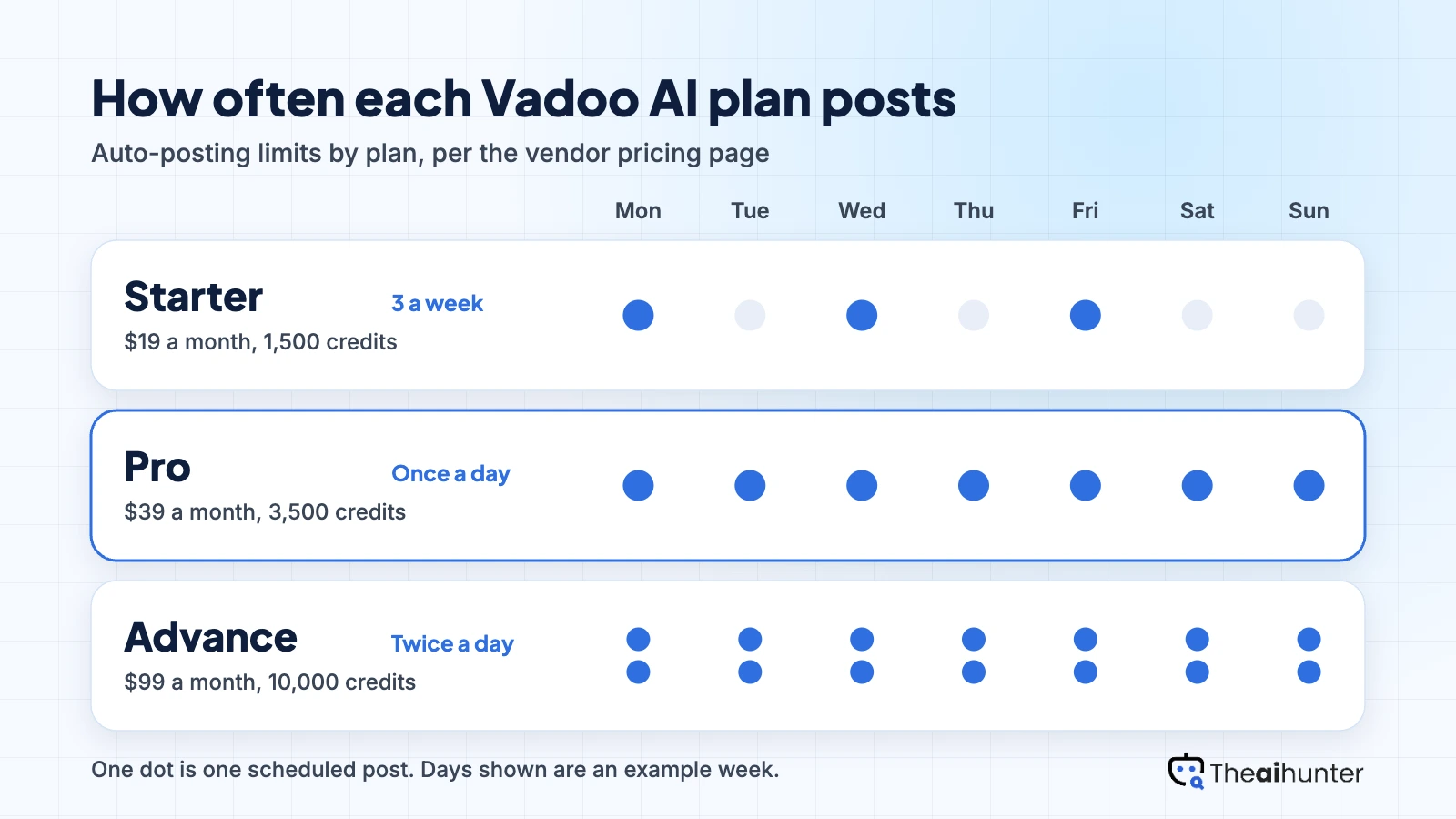
| Starter | $19 | 1,500 | 3 a week | No watermark, 2 parallel tasks, AI videos, images, music and captions |
| ProMost creators | $39 | 3,500 | Once a day | Multi-model support, 50+ templates, consistent character video |
| Advance | $99 | 10,000 | Twice a day | Unlimited Veo3 Fast (terms not explained), 5 parallel tasks |
USD prices from the Vadoo pricing page, checked November 18, 2026. The page shows two prices per plan under a monthly and yearly toggle without labelling them: Starter $19 and $13, Pro $39 and $27. We read the lower figure as the yearly rate, as price trackers do. Advance lists $99 and $249 with identical features. Prices change, so the checkout is final.
What a month of content really costs
Starter’s 1,500 credits and three auto-posts a week suit one video or a few each week, with room to retry.
Pro adds a daily auto-post and 3,500 credits, which fits one short a day if each video stays light on credits.
Advance gives 10,000 credits and two auto-posts a day, which suits several channels or heavier models.
Vadoo does not publish credits per video, so we sized plans by credits and auto-post limits instead of video counts. Run one test video on Starter to see your real cost.
Can you monetize Vadoo AI videos?
We could not confirm it. The pricing page states no commercial use or ownership terms, and only Starter mentions no watermark. Some review sites say commercial rights are included, which Vadoo’s page does not confirm.
| What you want to do | Starter | Pro | Advance |
|---|---|---|---|
| Monetize on YouTube or TikTok | Not stated | Not stated | Not stated |
| Use in client work | Not stated | Not stated | Not stated |
| Watermark rules | No watermark | Not stated | Not stated |
| Content ownership | Not stated | Not stated | Not stated |
| Auto-posting | 3 a week | Once a day | Twice a day |
| Parallel tasks | 2 | 3 | 5 |
| Consistent character video | No | Yes | Yes |
Ask Vadoo support for the commercial terms in writing before client or monetized work, and keep a record of the plan you used for each video. Treat third-party claims about rights as unconfirmed.
Vadoo AI features for creators
Six ways to build a short video, each tied to the plan or credit rule that applies.
Faceless video generator
Turn a script, prompt or story idea into a short with voiceover, visuals and captions.
Credits by featureAI captions and B-roll
Add styled captions, B-roll and transitions to a clip, included from Starter.
All paid plansAI images and music
Make stills and background tracks inside the same dashboard instead of using separate tools.
Credits by feature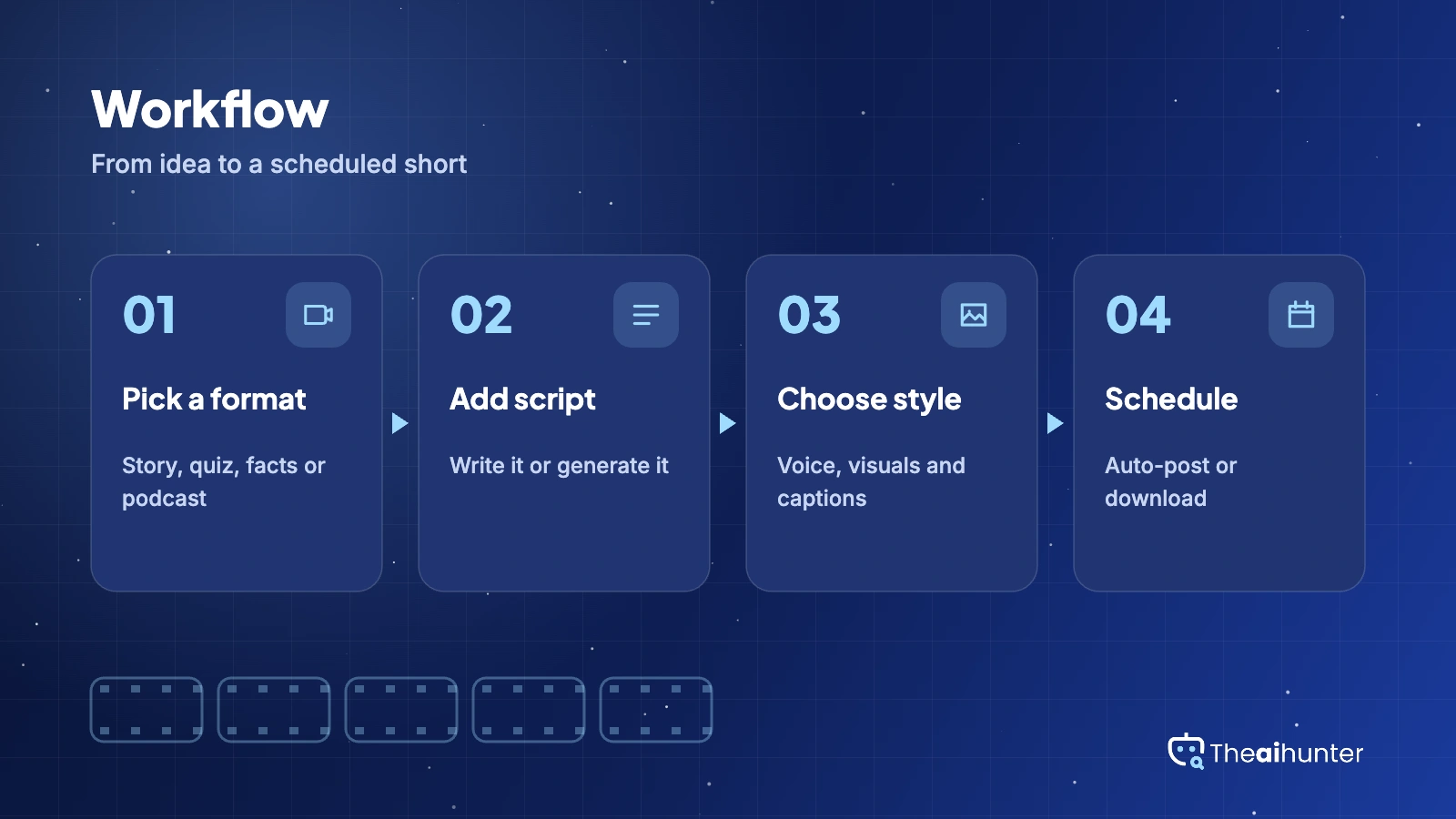
Podcast clips and AI Cut
Cut long videos into short clips and build podcast-style videos for repurposing.
All paid plansMulti-model apps
Pro adds multi-model support, 50+ templates and consistent character video. Some apps need your own API key.
Pro and aboveAuto-posting
Schedule posts from the app, from three a week on Starter to two a day on Advance.
Starter and abovePros and cons
Pros
- Videos, captions, images, music and podcast clips in one dashboard
- Low entry price, with Starter at $19 a month and no watermark
- Auto-posting built in, up to twice a day on Advance
- Founder-run support is active in public threads and replies to buyers
Cons
- Credits are deducted on some unsuccessful outputs, reviewers report
- Some features queue or fail when outside model APIs are slow
- Commercial use and ownership terms are not stated on the pricing page
- Pricing differs between the workspace and the website, and the site mixes in older hosting products
What users complain about
The problems reported most often on AppSumo, G2 and Product Hunt, as of November 2026.
Credits lost on failed outputs
AppSumo reviewers mention credit deductions for outputs that did not work. Fix: generate one scene first and check the result before running a full video.
Bring-your-own API key apps
Some AppSumo buyers say certain AI apps need their own paid third-party key, which adds cost. The founder says built-in apps run on credits and key-based apps use none. Fix: check which apps need a key before you plan around them.
Bugs and queue delays
A Product Hunt reviewer reports bugs that go unfixed, and a G2 reviewer notes features can stall when outside APIs queue. Fix: avoid scheduling rushed posts on tight deadlines.
Confusing pricing
Reviewers and comparison sites note different prices in the workspace and on the site. Fix: confirm the price and credits shown at checkout before paying.
Vadoo AI alternatives
If you want published credit costs, stronger voiceovers or a different editing style, these four are worth comparing.


Vadoo AI FAQ
Is Vadoo AI free?
Not as a permanent plan. The pricing page shows Start free buttons that lead to a login, but gives no trial length or credit amount, and third-party sources disagree on what a free account includes. Paid plans start at $19 a month.
How much does Vadoo AI cost?
Starter lists $19 and $13, Pro lists $39 and $27, and Advance lists $99 and $249. The page does not label which price is monthly, but price trackers read the lower Starter figure as the yearly rate. Credits are 1,500, 3,500 and 10,000 a month.
Can I monetize Vadoo AI videos?
The pricing page does not say. Only Starter mentions no watermark, and no plan states commercial use or content ownership. Some review sites say commercial rights are included, but get that in writing from Vadoo before client or monetized work.
Do I need my own API key for Vadoo AI?
For some apps, yes. The founder has said features such as AI Story, AI Captions and AI Cut run on Vadoo credits, while apps that use third-party models need your own API key. Those key-based runs use no Vadoo credits but bill you at the model provider.
Does Vadoo AI have a lifetime deal?
It has been sold on AppSumo, where the listing shows a 4.3 rating across 131 reviews. Availability and terms change, so check the current listing and the credit limits before you buy.
What is the best Vadoo AI alternative?
Revid AI suits creators who want viral remixes and publishing, Fliki is stronger for voiceover-led videos, and InVideo AI works from a prompt with an AI agent. Compare how each one charges for credits before you commit.
How we review AI video tools
Every video tool on Theaihunter goes through the same four steps and gets the same eight scores, so any two video tool scores on this site can be compared directly.
Read the vendor’s own pages
Plans, credit and minute limits, and license terms come from the product’s site first. We note the date we checked each one.
Test what we can reach
We sign up and check what the free plan and settings allow. When a login or paid credits are needed to go further, the review says what we did not test. Samples go on the page only when the license permits it.
Cross-check what users report
Independent reviews and user complaints from the last six months show what the sales page leaves out. Numbers copied across lookalike sites count once.
Score, date and update
Eight areas get a score from 1 to 5. When pricing or plans change, we recheck the review and log the change in its history.
How the score works
Each area is scored from 1 to 5. The overall score is their average, rounded to one decimal.
It is the same number on the review, the category page and anywhere else the tool appears.
- No review, no score. Tools we have not reviewed in full are never ranked.
- A strong output cannot hide unclear licensing, because each area is scored on its own.
Some links earn us a commission. A score or verdict is never changed because of one.
Prices, credits and limits are checked against the vendor’s pages and dated. When sources disagree, the review says so.
If we used a feature, we say so. If a detail comes from user reports, the review labels it as reported.
Ready to try Vadoo AI?
Check the current plan terms at checkout, then run one test video to see how many credits it uses before you commit.
