
Rows Logo
Editor's Rating:
Rows is best for automating data tasks, integrating real-time insights, and collaborating on spreadsheets with AI-powered simplicity.
Pricing Model: Freemium
Starting Price: $6
Rows Review

What is Rows?

Rows is an AI-powered spreadsheet tool that feels like the future of working with data. It takes the familiar spreadsheet concept and supercharges it with automation, integrations, and an intuitive interface that makes complex tasks feel effortless.

Whether you’re analyzing numbers, pulling real-time data, or collaborating with your team, Rows makes everything smoother, faster, and a whole lot smarter.

At its core, it works like any spreadsheet, you can add numbers, create formulas, and organize data. But what makes it special is how it blends AI and automation into the mix.

Need to fetch live data from the web? Done. Want to integrate with tools like Google Analytics, Stripe, or Twitter? Easy. You don’t need to be a coding expert, Rows handles all the heavy lifting. It even has built-in AI that helps clean up messy data, summarize reports, or generate insights without breaking a sweat.

Collaboration is another thing it does brilliantly. No more back-and-forth email threads or clunky file-sharing. Everything happens in real time, and teams can work together seamlessly, just like in Google Sheets, but with way more power under the hood.

You can also create and share interactive reports straight from your spreadsheet, making it simple to turn raw data into something clear and useful.

And then there’s the speed. Unlike traditional spreadsheet tools that feel sluggish with big datasets, Rows is built to handle large amounts of information without slowing you down. Plus, its modern interface feels clean, fresh, and intuitive, so you don’t waste time clicking through endless menus.

If you work with numbers, data, or reports, Rows doesn’t just make things easier, it makes them smarter. It’s the spreadsheet tool that actually keeps up with the way we work today.
Show More

Rows Review 2026: Top Features, Pricing, Pros & Cons

Rows: Editor's Rating

Here's a detailed breakdown of Rows rating based on different parameters.
Ease of Use
4.0/5
Interface is modern and powerful, though beginners may face a learning curve.
Features & Functionality
4.3/5
Combines spreadsheets, integrations, and AI analysis in one workspace.
Output Quality
4.2/5
Generates clear tables, charts, and insights from imported data.
Performance & Speed
4.0/5
Handles typical datasets well; large or API-heavy sheets may slow down.
Customization / Controls
4.1/5
Flexible formulas, integrations, and automation options for data workflows.
Reliability
4.1/5
Stable for most tasks with dependable autosave and collaboration tools.
Integrations / Export Options
4.2/5
Connects with analytics platforms, APIs, and common business tools.
Pricing & Value
4.1/5
Free plan available with paid tiers for advanced features.
Support & Resources
4.0/5
Helpful documentation and support channels receive positive feedback.
Privacy & Data Safety
4.0/5
Platform states that minimal data is shared with AI and not used for training.
Overall rating
4.2/5
A capable AI-powered spreadsheet that blends data analysis and automation, though newcomers may need time to master its capabilities.

Rows Top Features

AI-Powered Data Processing
Rows comes with built-in AI that helps clean data, generate insights, and automate repetitive tasks, making spreadsheet work smarter and faster.
Seamless Integrations
It connects effortlessly with tools like Google Analytics, Stripe, and Twitter, allowing users to pull real-time data without switching apps.
Real-Time Collaboration
Teams can work together on the same spreadsheet, edit data simultaneously, and leave comments, making collaboration smooth and efficient.
Live Data Fetching
Users can pull live data from the web, APIs, and other sources, keeping spreadsheets always up-to-date with the latest information.
Interactive Reports
With Rows, you can turn spreadsheets into interactive reports and share them easily without extra formatting or complicated dashboards.
No-Code Automation
Automate repetitive data tasks without writing a single line of code, saving time and reducing manual errors.
User-Friendly Interface
Unlike traditional spreadsheets, Rows has a sleek and intuitive design that makes working with data more enjoyable and less frustrating.
Mobile-Optimized
Access and edit spreadsheets on the go with a responsive interface that works seamlessly on mobile devices.
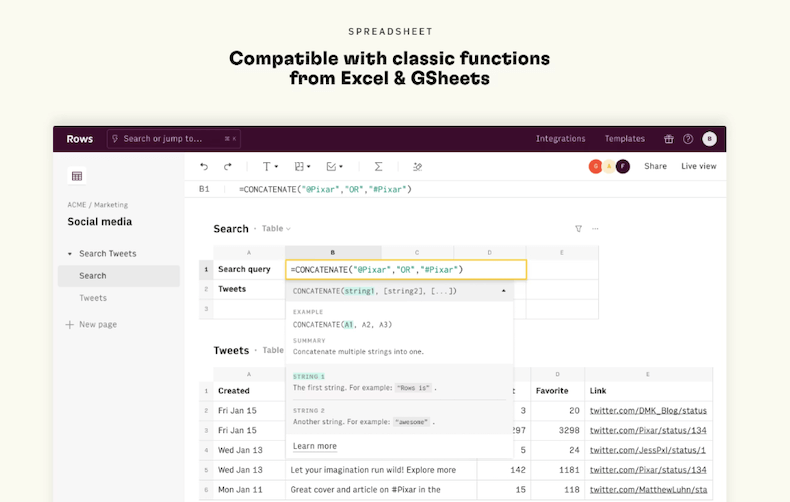
Advanced Formulas & Functions
From simple calculations to complex data transformations, Rows supports a wide range of formulas and functions tailored for modern data work.
Speed & Performance
Handles large datasets efficiently without the lag and performance issues often found in traditional spreadsheet tools.

Rows Pros & Cons 2026

Pros
AI-powered automation simplifies data analysis.
Seamless integrations with popular tools like Google Analytics and Stripe.
Real-time collaboration for teams, no clunky file-sharing needed.
Fast performance, even with large datasets.
Clean, modern interface that’s easy to navigate.
Interactive reports can be shared directly from the spreadsheet.
Cons
Limited offline functionality.
Not as feature-rich as Excel for advanced users.
Some integrations may require setup and API knowledge.
Learning curve for users used to traditional spreadsheets.

Rows Pricing 2026

Import all your data and analyze it with AI. Rows offer Free and Premium plan options with varied set of features. Here are details of their plans
Plus
$6/month per user
Pro
$59/month + $6/month per user
Enterprise
Custom

Please note that pricing information may not be up to date. For the most accurate and current pricing details, please refer to the official website.

Rows Use Cases

Marketing Analytics

Pull live data from social media, Google Ads, and SEO tools to track performance in a single spreadsheet.

Financial Reporting

Automate financial statements, revenue tracking, and forecasting without manual data entry.

Sales Tracking

Sync with CRM tools to keep an updated list of leads, sales, and customer interactions.

Project Management

Manage tasks, deadlines, and team collaboration in a structured, real-time spreadsheet format.

Survey & Form Data Analysis

Collect responses from forms and automatically organize, clean, and analyze the data.

Startup Growth Metrics

Monitor key performance indicators like signups, churn rate, and revenue in one dynamic spreadsheet.

Rows Questions & Answers

Rows is an AI-powered spreadsheet tool that automates data tasks, integrates with popular apps, and enables real-time collaboration for teams.
Rows is great for automation, integrations, and live data fetching, but Excel is better for advanced calculations, and Google Sheets excels in cloud collaboration.
Yes, Rows offers a free plan with essential features, while premium plans provide advanced integrations, AI tools, and automation capabilities.
Yes, Rows connects with various APIs and popular services like Google Analytics, Stripe, and Twitter to fetch live data into spreadsheets.
Yes, Rows uses encryption and secure protocols to protect user data, ensuring privacy and safety for business and personal use.

Rows User Reviews 2026

Overall Rows Rating
0.0 out of 5 stars (based on 0 reviews)
Rating Distribution
Excellent0%
Very good0%
Average0%
Poor0%
Terrible0%
Share Your Experience

Rows: Recent Reviews

There are no reviews yet. Be the first one to write one.

Submit Your Review For Rows

Pricing:
Categories:
Social

Best Rows Alternatives AIs

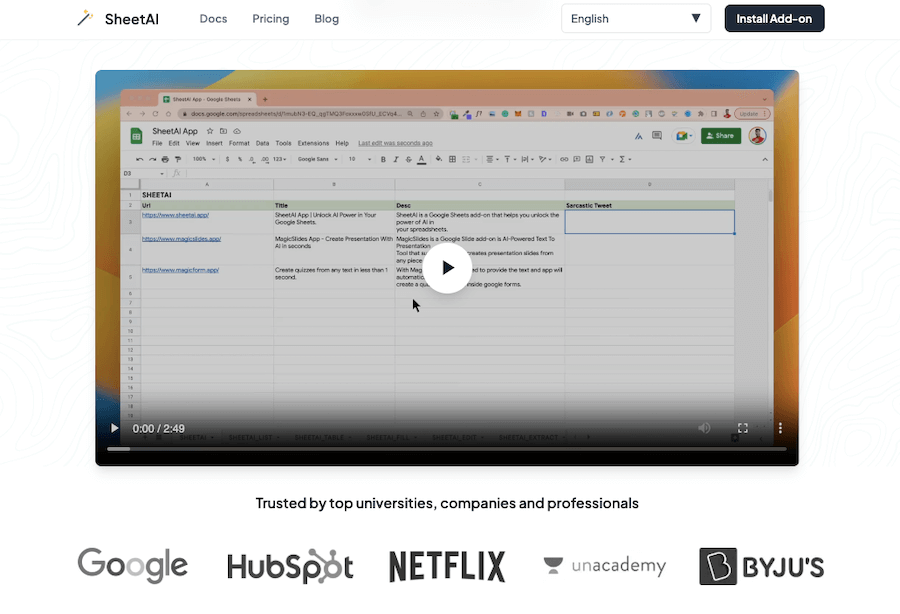
SheetAI

If you’ve ever wished for a smarter way to handle...
Receive the latest AI news

Learn About AI in 5 Min Daily

Get our daily email newsletter with trending AI news and top AI tools. Subscribe for FREE.

Cookie Policy

Theaihunter uses cookies

This website uses cookies to enhance user experience and to analyze performance and traffic on our website. By continuing to browse this site you are agreeing to our use of cookies.