GitHub Copilot Logo
Editor's Rating:
GitHub Copilot is best for speeding up coding by providing real-time AI-powered code suggestions, reducing repetitive tasks, and improving developer productivity.
Pricing Model: Freemium
Starting Price: $4 USD

What is GitHub Copilot?

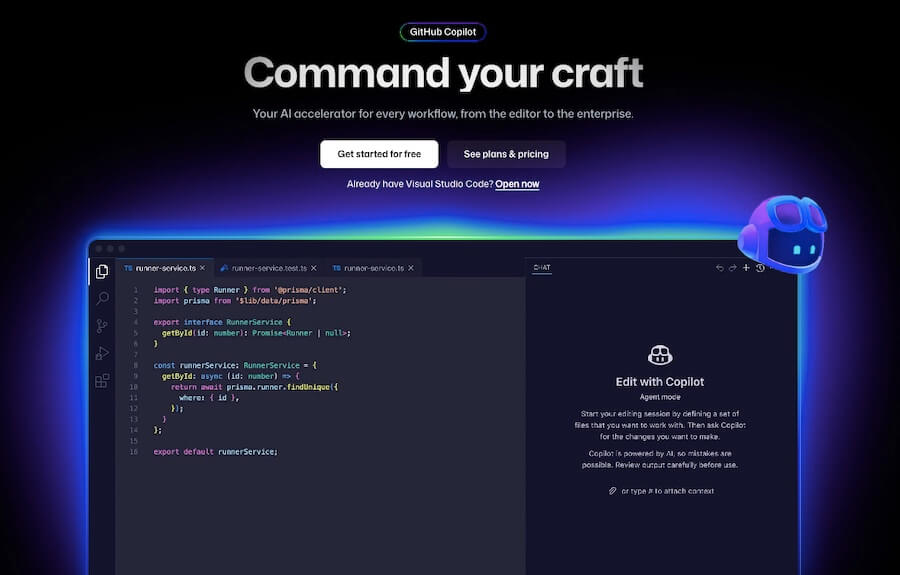
GitHub Copilot is like having a coding partner who’s always ready to help, suggesting code as you type and making the entire development process faster and smoother. Built with AI, it understands what you’re working on and offers real-time code suggestions, whether it’s a single line or an entire function.

It’s designed to speed up development, reduce repetitive tasks, and help you focus on solving bigger problems instead of getting stuck on syntax or boilerplate code.

What makes it stand out is its ability to learn from the context of your code. It doesn’t just throw random suggestions; it analyzes what you’re writing, understands patterns, and provides meaningful, accurate completions.

Whether you’re working in Python, JavaScript, TypeScript, or other languages, Copilot adapts and delivers relevant recommendations. It can even help with writing comments, suggesting test cases, and improving efficiency by reducing the time spent looking up syntax or searching for solutions online.

The integration with popular code editors like Visual Studio Code, Neovim, and JetBrains makes it easy to use. You don’t have to switch between windows or copy and paste snippets from different sources.

Everything happens right inside your editor, keeping you in the flow while coding. It also helps with learning new languages and frameworks, making it useful not just for experienced developers but also for those still mastering their craft.

With GitHub Copilot, coding becomes more intuitive and efficient. It removes friction, allowing developers to focus on logic and creativity instead of repetitive typing.

Whether you’re building a small project or working on large-scale applications, it’s like having an AI-powered assistant that understands your workflow and helps you code smarter, not harder.

Show More

GitHub Copilot Review 2026: Top Features, Pricing, Pros & Cons

GitHub Copilot Top Features

AI-Powered Code Suggestions
Suggests entire lines or blocks of code in real time, helping developers write faster and with fewer errors.
Context-Aware Completions
Understands the context of your code and provides relevant suggestions based on your coding patterns.
Multi-Language Support
Works with multiple programming languages, including Python, JavaScript, TypeScript, Go, and more.
Code Comment Assistance
Suggests comments based on code context, helping with documentation and making code more readable.
Test Case Generation
Assists in writing test cases, improving code reliability and reducing debugging time.
Integration with Popular Editors
Works seamlessly with Visual Studio Code, JetBrains, Neovim, and other major IDEs.
Learns from Your Codebase
Adapts to your coding style over time, providing increasingly relevant and personalized suggestions.
Reduces Repetitive Tasks
Automates boilerplate code writing, allowing developers to focus on logic and creativity.
Helps Learn New Languages & Frameworks
Provides guidance when working with unfamiliar programming languages, speeding up the learning process.
AI-Generated Code Explanations
Explains complex code snippets, making it easier to understand and modify existing code.

GitHub Copilot Pros & Cons 2026

Pros
Provides real-time code suggestions to speed up development.
Reduces repetitive tasks and minimizes syntax errors.
Supports multiple programming languages and frameworks.
Integrates seamlessly with popular code editors like VS Code and JetBrains.
Helps both beginners and experienced developers write better code.
Cons
Suggestions may not always be accurate or optimized.
Subscription-based pricing may not suit all developers.
Relies on existing public code, which might raise copyright concerns.
May generate code with potential security vulnerabilities.

GitHub Copilot Pricing 2026

Get the complete Developer platform with GitHub Copilot. Choose from their Free or paid package that suits your requirements. Here are details of their plans
Team
$4 USD per user/ month
Enterprise
$21 USD per user/month

Please note that pricing information may not be up to date. For the most accurate and current pricing details, please refer to the official website.

GitHub Copilot Use Cases

Faster Code Writing

Automatically suggests code snippets, reducing development time and improving efficiency.

Learning New Programming Languages

Guides developers through syntax and best practices when working with unfamiliar languages.

Writing Unit Tests

Generates test cases to ensure code quality and prevent potential issues before deployment.

Automating Repetitive Coding Tasks

Handles boilerplate code, allowing developers to focus on more complex problem-solving.

Improving Code Documentation

Suggests meaningful comments, making code easier to read and maintain.

Assisting in Debugging

Provides alternative suggestions and improvements to optimize and debug existing code.

GitHub Copilot Questions & Answers

GitHub Copilot is used to assist developers by providing real-time AI-powered code suggestions, helping automate repetitive tasks and improve coding efficiency.
It supports multiple languages, including Python, JavaScript, TypeScript, Go, Ruby, and more, but works best with widely used languages.
No, it requires an internet connection to access its AI-powered suggestions and generate real-time code completions.
It offers a free trial, but continued access requires a paid subscription, with pricing plans available for individuals and enterprises.
While it helps with coding efficiency, developers should review suggestions carefully to avoid potential security vulnerabilities or inefficient code.

GitHub Copilot User Reviews 2026

Overall GitHub Copilot Rating
0.0 out of 5 stars (based on 0 reviews)
Rating Distribution
Excellent0%
Very good0%
Average0%
Poor0%
Terrible0%
Share Your Experience

GitHub Copilot: Recent Reviews

There are no reviews yet. Be the first one to write one.

Submit Your Review For GitHub Copilot

Pricing:
Categories:
Social

Best GitHub Copilot Alternatives AIs

Codeium Review

Codeium

Coding doesn’t have to be a slow, repetitive process, and...
Continue Dev Review

Continue Dev

Continue Dev is like having a supercharged coding assistant built...

SQLAI

SQLAI is a smart tool designed to simplify how people...
PearAI Review

PearAI

PearAI is a powerful open-source code editor that brings AI-driven...
Receive the latest AI news

Learn About AI in 5 Min Daily

Get our daily email newsletter with trending AI news and top AI tools. Subscribe for FREE.

Cookie Policy

Theaihunter uses cookies

This website uses cookies to enhance user experience and to analyze performance and traffic on our website. By continuing to browse this site you are agreeing to our use of cookies.