

Is Pixelcut AI worth it?
Yes, if you edit product or portrait photos often and want generation in the same app. Pro at $10 a month is a low entry price and lists a commercial license. Be careful with the renewal date, because refund complaints are common.
Choose Pixelcut AI if you
- Sell products and need clean cutouts fast
- Want generative fill, expand and scene backgrounds in one app
- Need batch exports for a catalog
- Share one credit pool across a small team
Look elsewhere if you
- Want deep generation controls such as LoRAs or node workflows
- Need a long free plan with generous generation
- Want one flat price with no credit math
- Cannot accept store-dependent refunds
Pixelcut AI scores
Eight creator-focused checks, each out of 5. The overall score is their average and matches the score shown everywhere on the site.
Output depends on the model you pick. Nano Banana, Flux 2 and ChatGPT Image give strong results, and the cheaper models give less.
Newer models follow prompts well, and the editing tools let you fix misses without starting over.
You get many models and presets, but no LoRA training or node workflows.
Background removal, eraser, expand, generative fill and upscaling are the core of the product, and they are strong.
Simple web and mobile apps with batch exports. The credit cost per model takes a moment to learn.
Pro and Business list a commercial license. The free plan does not, and one review finds Pixelcut’s pages inconsistent on it.
Pro is $10 a month and covers a lot of editing. Credit costs and billing complaints keep the score down.
Limited background removal and upscaling, with watermark-free export. Little room for generation.
Pixelcut AI pricing in 2026
Pixelcut sells Free, Pro and Business plans. Pro and Business include a monthly pool of credits that pay for images made with advanced models.
| Plan | Price a month | Credits a month | Real output, roughly | What it adds |
|---|---|---|---|---|
| Free | $0 | Not listed | Limited background removal and upscaling | Exports without a watermark |
| Pro | $10 | 600 | About 2,500 Flux 2 Pro images or 185 ChatGPT Image 2 images | Unlimited background removal and upscaling, 3 seats, commercial license |
| BusinessMost popular | $30 | 3,600 | About 15,000 Flux 2 Pro images or 1,111 ChatGPT Image 2 images | 10 seats, 2,000 batch exports a month, commercial license |
Monthly prices from the pricing page we read on November 18, 2026. Yearly billing is $8 for Pro and $24 for Business. Pro output counts are our division of the Business figures by six, since the page lists Business numbers.
What a month of use really costs
Limited background removal and upscaling, with exports without a watermark.
Pro gives 600 credits and unlimited background removal and upscaling. That is roughly 2,500 Flux 2 Pro images, though pricier models cost far more per image.
Business adds 3,600 credits, ten seats and 2,000 batch exports a month.
Our estimates use Pixelcut’s own per-model figures. Cost per image runs from about 0.02 credits on small Flux models to about 3 credits on ChatGPT Image 2.
Can you use Pixelcut AI images commercially?
Yes on Pro and Business. Pixelcut’s pricing page lists a commercial license on both paid plans. The free plan lists none, so treat free output as personal use.
| What you want to do | Free | Pro | Business |
|---|---|---|---|
| Personal projects | Yes | Yes | Yes |
| Product photos for your own shop | Not listed | Yes | Yes |
| Client work | Not listed | Yes | Yes |
| Export without watermark | Yes | Yes | Yes |
| Team seats | Not listed | 3 seats | 10 seats |
| Batch exports a month | Not listed | 1,000 | 2,000 |
Refunds depend on where you paid. Apple and Google handle app purchases, and web subscriptions go through Pixelcut support with your receipt. Cancel before renewal if you only need one month.
Pixelcut AI features for sellers
What you can do with it, and where the limits sit.
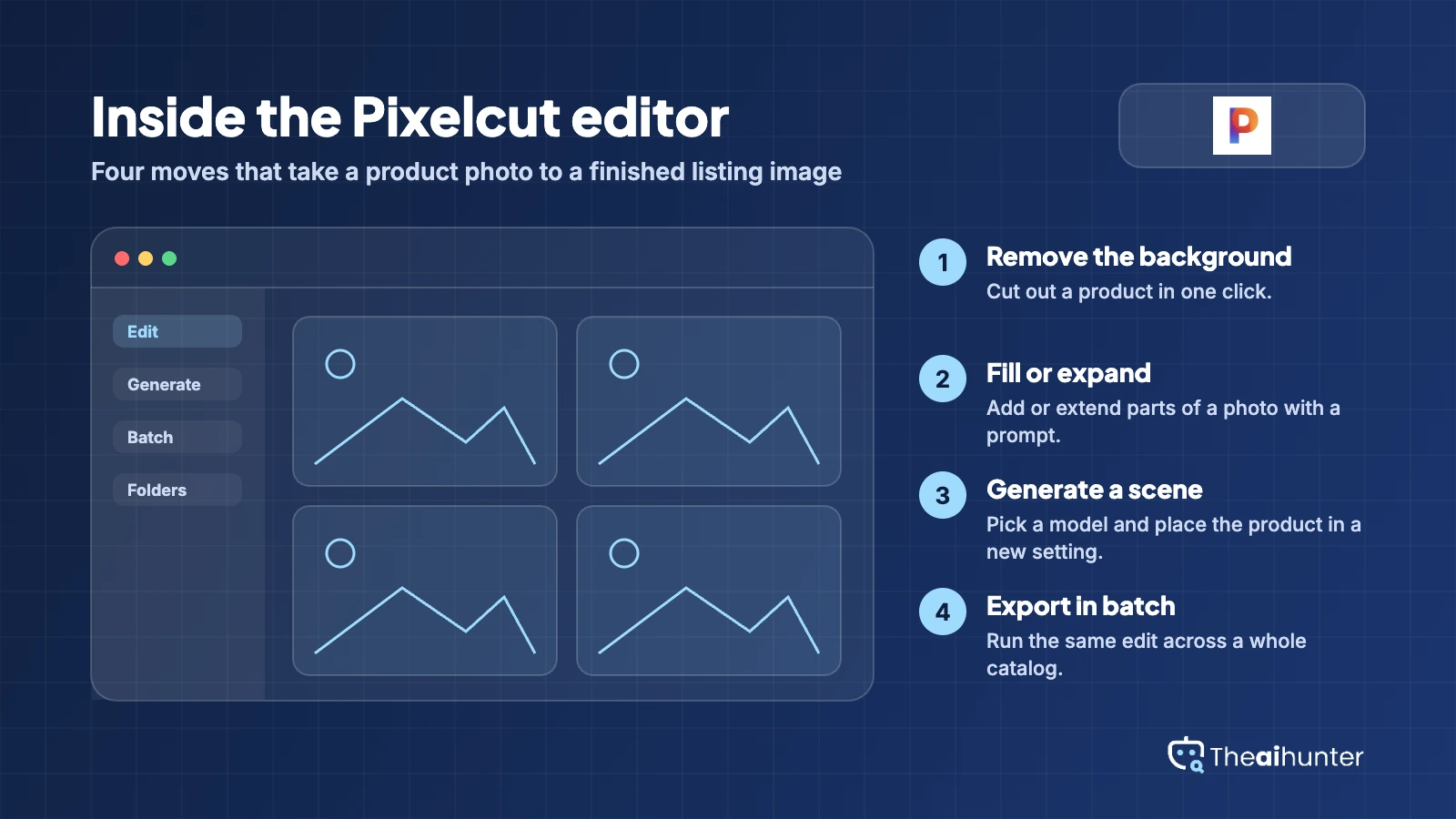
Background removal
Cut out products and people in one click, unlimited on paid plans.
Unlimited on ProGenerative fill and expand
Add, remove or extend parts of a photo with a text prompt.
300 a day on ProAI backgrounds
Place a product in a generated setting for lifestyle shots.
Uses credits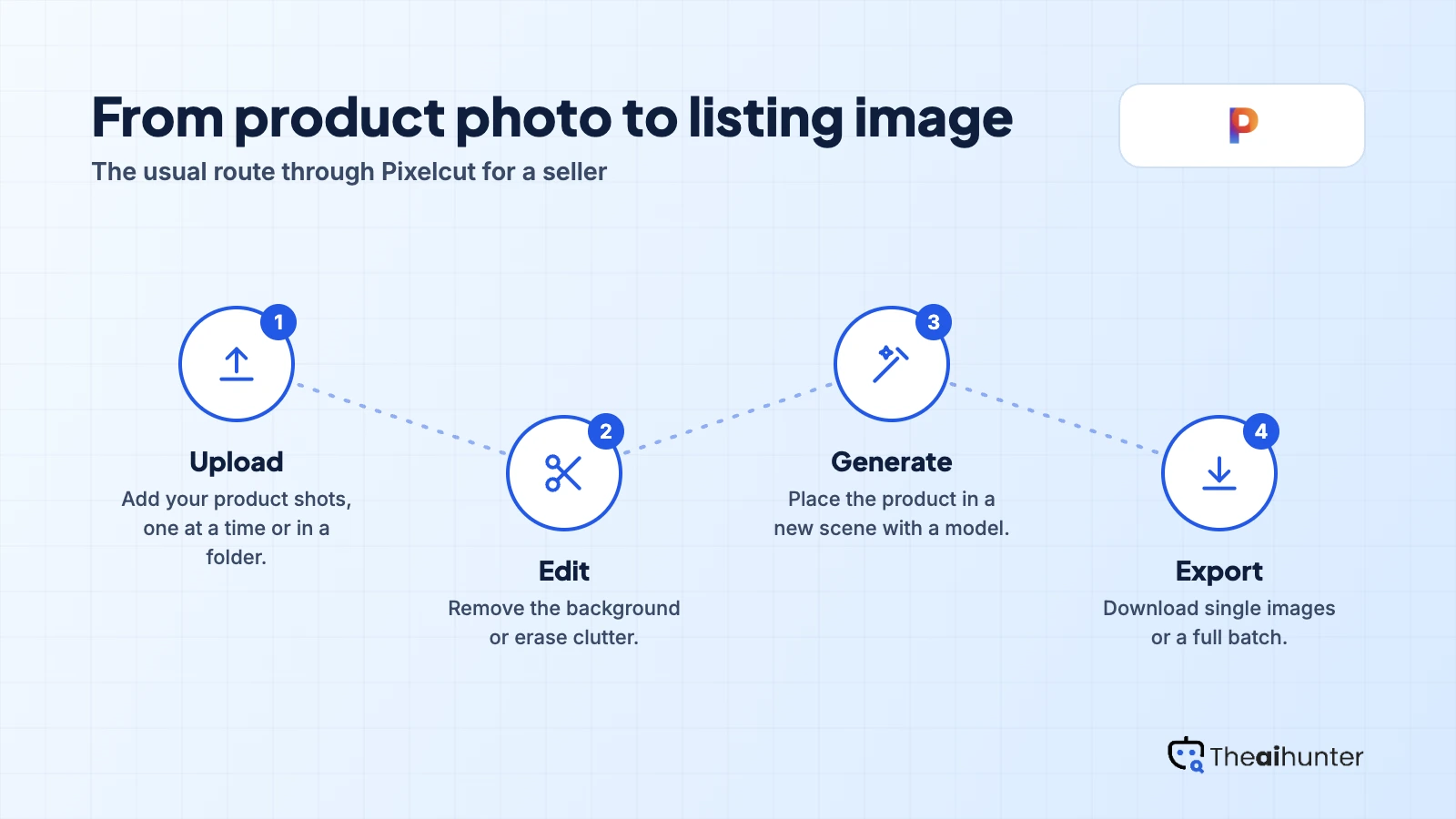
Model library
Nano Banana, Flux 2, ChatGPT Image, Recraft and more behind one prompt box.
Credits vary by modelBatch editing
Run the same edit across a folder of product shots.
1,000 a month on ProTeam seats
Share one credit pool across a small team.
3 on Pro, 10 on BusinessPros and cons
Pros
- Strong editing toolset: background removal, eraser, expand and upscale
- Many leading image models behind one prompt box
- Low entry price with a commercial license on Pro
- Batch exports and team seats for small stores
Cons
- Credits cost very different amounts per model, so budgets are hard to plan
- Refund and surprise-charge complaints are common
- The free plan is limited and lists no commercial license
- Less control than platforms with LoRAs or node workflows
What users complain about
Trustpilot, Apple’s support forum and the third-party reviews we read on November 18, 2026 point to the same few problems.
Refunds and unexpected charges
Reviewers describe subscriptions they did not expect, with refunds refused after cancelling. Pixelcut routes refunds through Apple, Google Play or its own support, depending on where you paid.
Credits used quickly
One reviewer says a month of credits went on the first image. Cost per image varies widely by model, so check the credit price before you generate.
Support is hard to reach
Several reviewers say support was slow or unhelpful when they asked about billing.
Inconsistent plan details
One review notes that Pixelcut’s pages differ on free limits, batch size and commercial use, so confirm the details at checkout.
Pixelcut AI alternatives
If you want deeper generation controls, or a different mix of editing and generation, these are the closest options.


Pixelcut AI FAQ
Is Pixelcut free?
Yes, with limits. The free plan includes limited background removal and upscaling and exports without a watermark. Higher limits, the credit pool and a commercial license need Pro or Business.
How much does Pixelcut cost?
Pro is $10 a month, or $8 a month billed yearly. Business is $30 a month, or $24 a month billed yearly.
What are Pixelcut credits?
Credits pay for images made with advanced models, mainly from partners. Pro includes 600 a month and Business 3,600. Each model costs a different amount, from about 0.02 credits for small Flux models to about 3 for ChatGPT Image 2 on the Business figures.
Can I use Pixelcut images commercially?
Pro and Business list a commercial license. The free plan does not list one, so treat free output as personal use.
Which AI models does Pixelcut offer?
The pricing page lists Nano Banana, Flux 2, Flux Kontext, ChatGPT Image, Recraft and others. The list changes, so check the page for the current set.
Can I get a refund?
It depends where you paid. Apple and Google handle refunds for app purchases, and web subscriptions go through Pixelcut support with your receipt. Cancel before renewal if you only need one month.
Is Pixelcut better for editing or generating?
Editing first. Its strongest tools are background removal, eraser, expand and upscale, with generation as an added layer. For deeper generation control, look at Leonardo AI or Midjourney.
How we review AI image tools
Every image tool on Theaihunter goes through the same four steps and gets the same eight scores, so any two image tool scores on this site can be compared directly.
Read the vendor’s own pages
Plans, credit and image limits, and license terms come from the product’s site first. We note the date we checked each one.
Test what we can reach
We sign up and check what the free plan and settings allow. When a login or paid credits are needed to go further, the review says what we did not test. Samples go on the page only when the license permits it.
Cross-check what users report
Independent reviews and user complaints from the last six months show what the sales page leaves out. Numbers copied across lookalike sites count once.
Score, date and update
Eight areas get a score from 1 to 5. When pricing or plans change, we recheck the review and log the change in its history.
How the score works
Each area is scored from 1 to 5. The overall score is their average, rounded to one decimal.
It is the same number on the review, the category page and anywhere else the tool appears.
- No review, no score. Tools we have not reviewed in full are never ranked.
- A strong output cannot hide unclear licensing, because each area is scored on its own.
Some links earn us a commission. A score or verdict is never changed because of one.
Prices, credits and limits are checked against the vendor’s pages and dated. When sources disagree, the review says so.
If we used a feature, we say so. If a detail comes from user reports, the review labels it as reported.
Ready to try Pixelcut AI?
Start on the free plan to test background removal and upscaling, then move to Pro if you need credits and a commercial license.
