

Is ImgGen AI worth it?
Yes for light to moderate use. Starter at $9.99 a month gives 400 credits that roll over, and the commercial rights are clear. Test the free credits on your own photos before you pay.
Choose ImgGen AI if you
- Want generation and photo cleanup in one account
- Need commercial rights and no watermark on every plan
- Like credits that roll over instead of expiring monthly
- Plan to use bulk mode or the API
Look elsewhere if you
- Need a free monthly allowance rather than 50 one-time credits
- Want LoRA training or node workflows
- Need independent proof of image quality before paying
- Want per-tool credit costs listed up front
ImgGen AI scores
Eight creator-focused checks, each out of 5. The overall score is their average and matches the score shown everywhere on the site.
We could not verify output quality beyond the vendor, so we score it near the middle.
Text-to-image from a short prompt, with 120+ art styles to steer it.
Many styles and a background generator, but no model training or advanced controls listed.
19 tools cover upscaling, unblur, background removal, retouching, restoration and color work.
Simple tool pages and a single credit balance across everything.
Full commercial rights and no watermark are listed on every plan, including Free.
Starter is $9.99 a month, and unused credits roll over while you stay subscribed.
50 credits once, with no card needed. Enough to test, not enough to rely on.
ImgGen AI pricing in 2026
ImgGen AI has a free plan, two paid plans and custom Enterprise pricing. Paid plans give monthly credits that roll over while you stay subscribed.
| Plan | Price a month | Credits | Real output, roughly | What it adds |
|---|---|---|---|---|
| Free | $0 | 50, one time | Limited access to the AI tools | Full commercial rights, no watermark |
| StarterMost popular | $9.99 | 400 a month | Credits roll over while subscribed | All tools, API access and bulk mode |
| Pro | $29.99 | 1,400 a month | Credits roll over while subscribed | Everything in Starter, plus priority support |
Regular monthly prices from the pricing page we read on November 18, 2026. A Black Friday offer cut the first month to $4.99 for Starter and $14.99 for Pro, then the plans renew at the regular price.
What a month of use really costs
50 one-time credits are enough to try generation and a few photo fixes.
400 credits a month, and unused credits roll over.
1,400 credits a month with priority support.
We did not find a per-tool credit table on the pricing page, so run a small batch to see what each tool costs before a large job.
Can you use ImgGen AI images commercially?
Yes. ImgGen AI lists full commercial rights and no watermark on every plan, including Free. We found no separate license document, so check the Terms of Service for edge cases before client work.
| What you want to do | Free | Starter | Pro |
|---|---|---|---|
| Personal projects | Yes | Yes | Yes |
| Commercial use | Yes | Yes | Yes |
| Exports without a watermark | Yes | Yes | Yes |
| Credit rollover | No | Yes | Yes |
| API access | No | Yes | Yes |
| Bulk mode | No | Yes | Yes |
Rights and features are as listed on the vendor’s pricing page. Rollover lasts while your subscription stays active.
ImgGen AI features
A generator and a set of photo tools, all paid with the same credits.
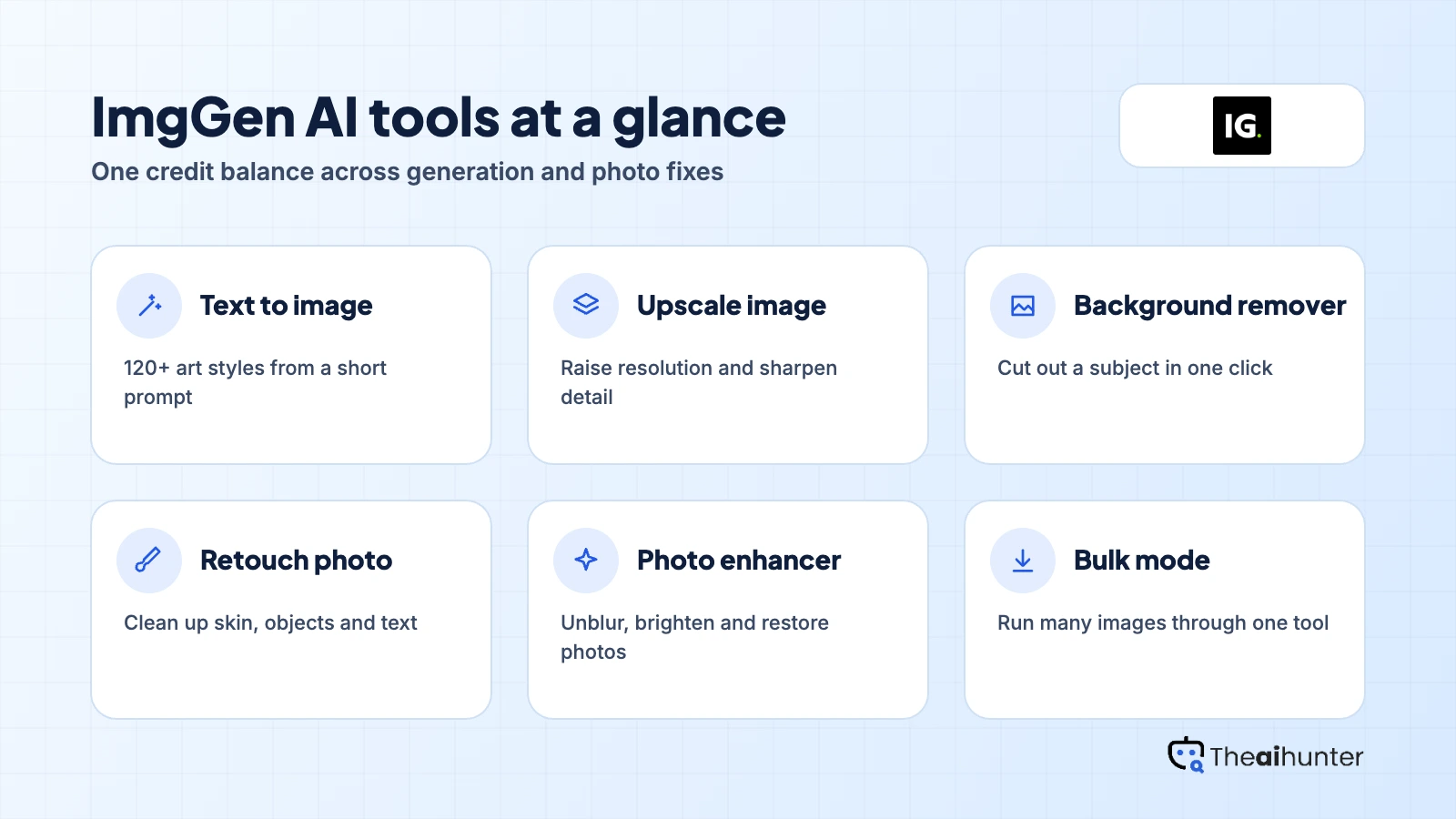
Text to image
Create images from a prompt, with 120+ art styles to choose from.
120+ stylesUpscale and unblur
Raise resolution and sharpen soft photos.
Uses creditsBackground tools
Remove a background or generate a new one.
Uses credits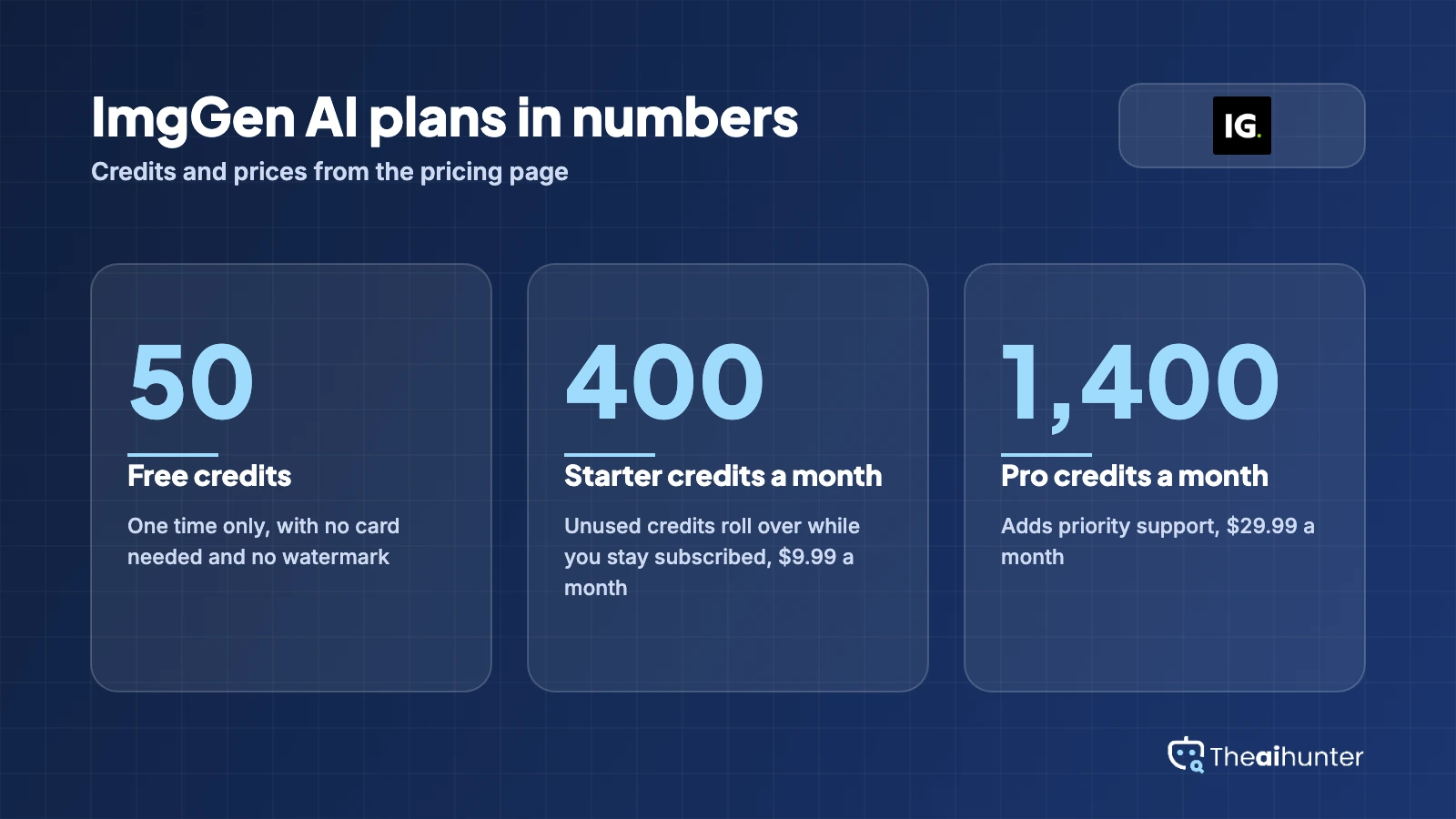
Retouch and restore
Retouch portraits, fix old photos and remove text or objects.
Uses creditsColor and light
Color correction, brightening, colorizing and shadows.
Uses creditsBulk mode and API
Process many images at once or connect your own app.
Starter and ProPros and cons
Pros
- Full commercial rights and no watermark on every plan
- Generation and 19 photo tools share one credit balance
- Credits roll over while you stay subscribed
- Low entry price with a free plan to test
Cons
- The free plan is 50 credits once, not monthly
- Few independent reviews to confirm quality
- Per-tool credit costs are not on the pricing page
- No LoRA training or node workflows listed
What users complain about
We found no independent user reviews, so these points come from the pricing page and the product. We checked them on November 18, 2026.
Free credits run out once
The 50 free credits are one-time, so you move to Starter to keep going.
The discount applies to the first month
The Black Friday offer covers the first month only, then the plan renews at the regular rate.
Few independent reviews
Trustpilot shows no reviews yet and review sites give little detail, so the vendor claims carry most of the weight.
Per-tool credit costs are unclear
The pricing page lists totals but not what each tool costs, so test a small batch first.
ImgGen AI alternatives
If you want a bigger toolset or deeper generation controls, these are the closest options.




ImgGen AI FAQ
Is ImgGen AI free?
Partly. The free plan gives 50 credits once, with no card and no watermark. After that you need Starter or Pro for monthly credits.
How much does ImgGen AI cost?
Starter is $9.99 a month and Pro is $29.99 a month at regular prices. A Black Friday offer cut the first month to $4.99 and $14.99 when we checked.
Do ImgGen AI credits roll over?
Yes on Starter and Pro. Unused credits accumulate while your subscription stays active, and they are removed if you cancel or a renewal payment fails.
Can I use ImgGen AI images commercially?
The pricing page lists full commercial rights on every plan, including Free. We found no separate license document.
Does ImgGen AI add a watermark?
No. The vendor lists no watermark on any plan.
What tools does ImgGen AI include?
A text-to-image generator plus tools for upscaling, unblurring, background removal, retouching, restoration, color correction and more.
Does ImgGen AI have an API?
Yes, on Starter and Pro. Bulk mode is also included on those plans.
What happens when the Black Friday price ends?
The offer applies to the first month. The plan then renews at the regular price, so check the renewal amount at checkout.
Is ImgGen AI better for photo fixes or new images?
It covers both, but the toolset is its main strength. For deeper generation control, look at Leonardo AI or Midjourney.
How we review AI image tools
Every image tool on Theaihunter goes through the same four steps and gets the same eight scores, so any two image tool scores on this site can be compared directly.
Read the vendor’s own pages
Plans, credit and image limits, and license terms come from the product’s site first. We note the date we checked each one.
Test what we can reach
We sign up and check what the free plan and settings allow. When a login or paid credits are needed to go further, the review says what we did not test. Samples go on the page only when the license permits it.
Cross-check what users report
Independent reviews and user complaints from the last six months show what the sales page leaves out. Numbers copied across lookalike sites count once.
Score, date and update
Eight areas get a score from 1 to 5. When pricing or plans change, we recheck the review and log the change in its history.
How the score works
Each area is scored from 1 to 5. The overall score is their average, rounded to one decimal.
It is the same number on the review, the category page and anywhere else the tool appears.
- No review, no score. Tools we have not reviewed in full are never ranked.
- A strong output cannot hide unclear licensing, because each area is scored on its own.
Some links earn us a commission. A score or verdict is never changed because of one.
Prices, credits and limits are checked against the vendor’s pages and dated. When sources disagree, the review says so.
If we used a feature, we say so. If a detail comes from user reports, the review labels it as reported.
Ready to try ImgGen AI?
Use the 50 free credits to test generation and one or two photo tools, then move to Starter if you want rollover credits.
