

Is Trupeer AI worth it?
Yes, for teams that publish demos or help content often. It is not a general video editor, so judge it on how little cleanup a raw recording needs.
Choose Trupeer AI if you
- Record product demos or tutorials
- Want a written guide from the same recording
- Prefer AI voiceover to recording your own
- Need translated walkthroughs on Scale
Look elsewhere if you
- Need long recordings on a low plan
- Need to re-record one section at a time
- Need written commercial-use terms
- Need a free plan beyond a trial
Trupeer AI scores
Eight checks, each scored out of 5. We scored from Trupeer’s pricing page, independent reviews and user complaints, because we have not recorded with Trupeer ourselves.
G2 reviewers praise professional voiceover and automatic zoom from a single take, and one says the AI voice syncs to the video almost every time.
You can edit the script and pick voices, but reviewers want more voice styles, and one reports accents reverting to US English.
Pro adds trim, split, skip, sync and crop, though edits sit on a single timeline and reviewers want clip merging.
Reviewers call setup and video creation quick for non-editors, and G2 lists 4.8 out of 5 from 52 reviews in mid-2026.
The pricing page has no commercial-use statement and no export resolution, so we could not confirm terms for client work.
Pro costs $49 a month for about 20 minutes of AI video, and one G2 reviewer called the cost high.
Recordings cap at 5, 10 and 15 minutes on Free, Pro and Scale, and credits reset monthly with no rollover.
Free is a 10-day trial with 1,000 credits, 5-minute recordings and a watermark on exports and embeds.
Trupeer AI pricing in 2026
Trupeer bills in AI credits. An AI video costs 100 credits a minute, a document 50 credits and a translation 100 credits a minute per language. Credits reset monthly and do not roll over.
| Plan | Price a month | Credits | Output, roughly | What it adds |
|---|---|---|---|---|
| Free trial | $0 for 10 days | 1,000 | About 10 minutes of AI video | 5-minute recordings, watermark on export and embed, standard AI voices |
| Pro Most creators | $49, or $40 yearly | 2,000 | About 20 minutes of AI video | 10-minute recordings, no watermark, DOC, PDF and Markdown export, 1 seat |
| Scale | $249, or $199 yearly | 10,000 | About 100 minutes of AI video | 15-minute recordings, premium voices, translation, brand kit, 3 seats |
| Enterprise | Custom | Custom | Unlimited recordings | Annual contract, 3-hour recordings, SSO, admin dashboard, avatar clones |
Source: Trupeer’s pricing page, checked November 17, 2026. The page shows two unlabeled prices per plan, so we read the lower figure as yearly, which matches Trainn and G2 listings. The checkout price is final.
What a month of content really costs
Pro includes 2,000 credits, about 20 minutes of finished AI video at 100 credits a minute.
Scale gives 3 seats and 10,000 credits, about 100 minutes, at the yearly rate. Monthly billing is $249.
Translation costs 100 credits a minute per language, so a 5-minute video in two languages adds 1,000 credits.
Our estimates from the vendor credit rates. Seat counts for Free and Pro beyond one seat are not stated.
Can you monetize Trupeer AI videos?
We could not confirm it. Trupeer’s pricing page has no commercial-use statement, so check its terms before client or paid work.
| What you want to do | Free trial | Pro | Scale |
|---|---|---|---|
| Monetize videos commercially | Not stated | Not stated | Not stated |
| Use in client work | Not stated | Not stated | Not stated |
| Watermark removed | No | Yes | Yes |
| Premium AI voices and translation | No | No | Yes |
| Document export (DOC, PDF, Markdown) | No | Yes | Yes |
| Brand kit | No | No | Yes |
The pricing page states no commercial-use terms or export resolution for any plan. Read Trupeer’s terms before client work.
Trupeer AI features for teams
Six tools around one job: a screen recording in, a video and a guide out.
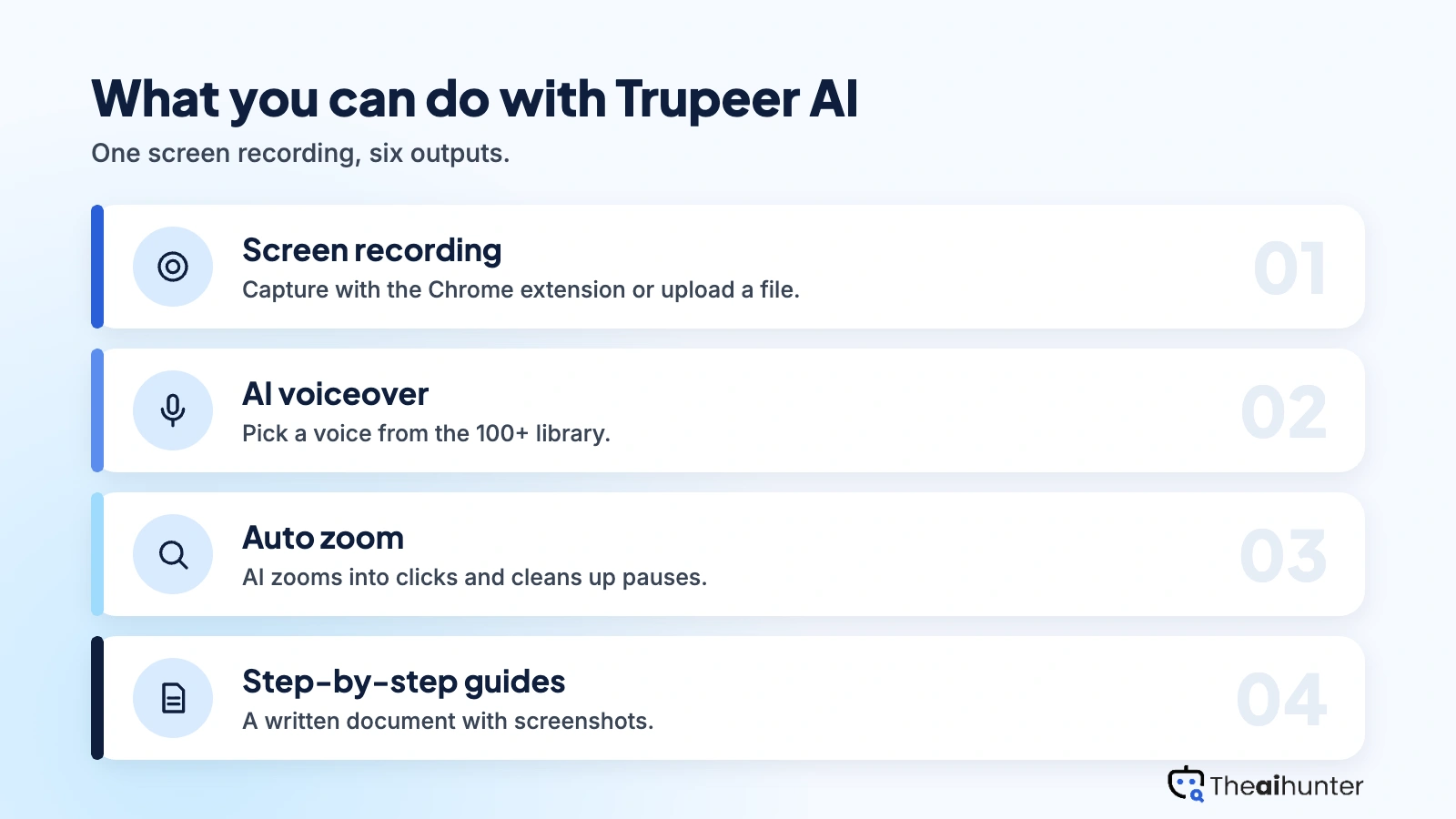
AI script and voiceover
Transcribes the recording, tidies the script and adds a voice from the library.
100+ voicesAuto zoom and cleanup
Zooms into clicks and trims pauses automatically.
AI editingStep-by-step guides
Builds a written document with screenshots from the same recording.
Export on Pro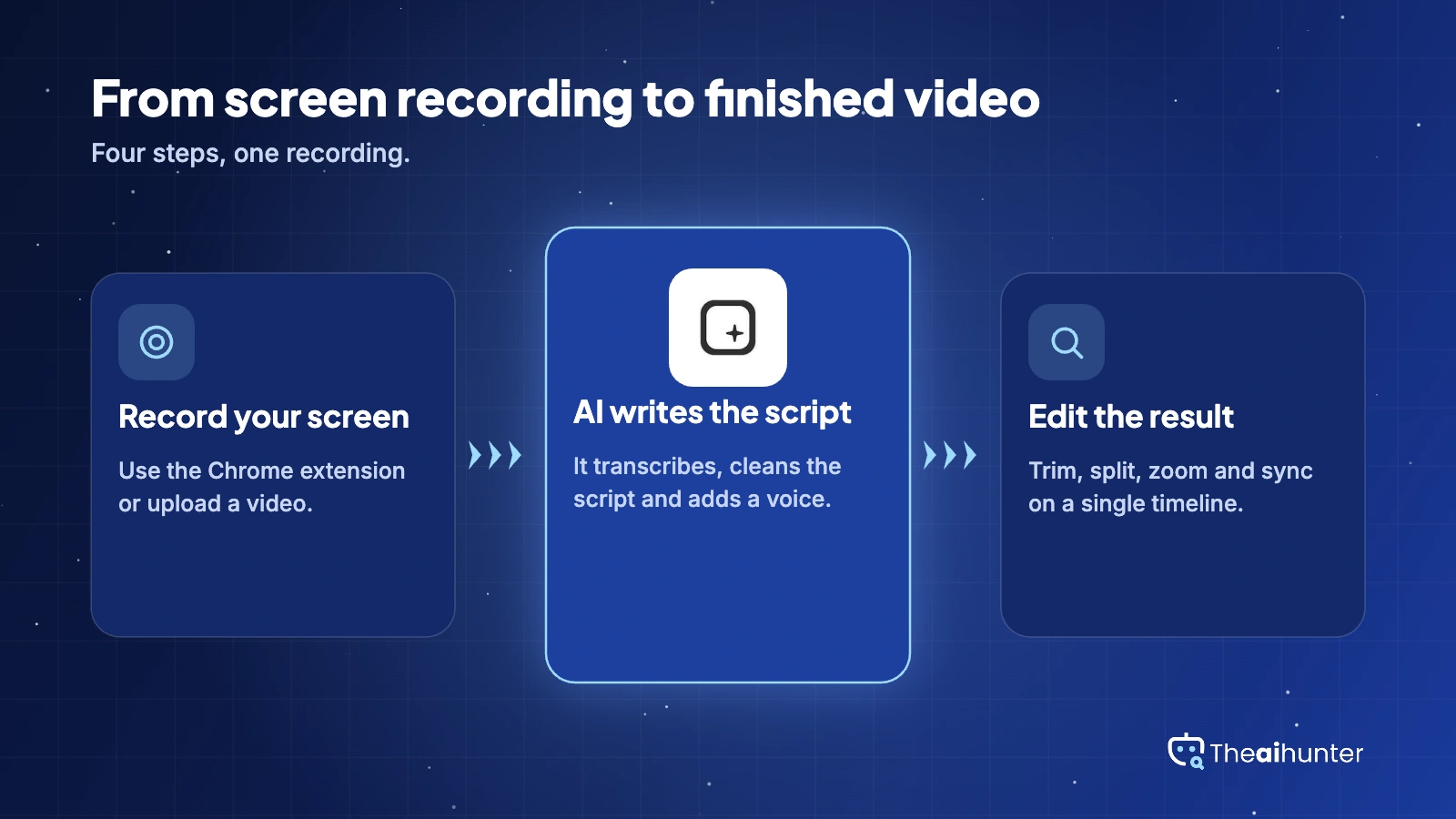
Translation
Dubs videos and docs into other languages and builds multi-language share pages.
Scale and upBrand kit
Applies logos, backgrounds and music to your exports.
Scale and upChrome extension
Records screen, webcam and microphone from the browser.
Cloud basedPros and cons
Pros
- AI voiceover that syncs to the video, per G2 reviewers
- One recording gives you a video and a written guide
- Pro removes the watermark and adds document exports
- Quick setup, with G2 at 4.8 out of 5 from 52 reviews
Cons
- Free plan is a 10-day trial with a watermark
- Minute caps and monthly credit reset hit long walkthroughs
- Single timeline, and no partial re-record
- No commercial-use terms stated, and no API listed
What users complain about
The problems that come up most on G2, Product Hunt and Trustpilot. Review samples are small, so treat the frequencies as rough.
AI minutes run out quickly
Reviewers say base-tier minutes vanish on longer walkthroughs. Fix: record in short segments and budget 100 credits per finished minute.
Single timeline, no partial re-record
Reviewers report that updating one section usually means re-recording the whole video. Fix: record each feature as its own short clip.
Confusing credit use
A Product Hunt reviewer says Pro credits were not granted after payment, and a Trustpilot reviewer found drafts consumed credits. Fix: check the credit meter after your first draft and contact support early.
AI accent can revert
One Australian reviewer says voices slipped back to a US accent mid-script. Fix: test a short script with your chosen voice before a full video.
Trupeer AI alternatives
If you need a fuller editor or avatar-led training videos, these four are worth a look.


Trupeer AI FAQ
Is Trupeer AI free?
Only as a 10-day trial. It includes 1,000 AI credits, recordings up to 5 minutes, and a watermark on exports and embeds.
How much does Trupeer AI cost?
Pro is $49 a month or $40 billed yearly, and Scale is $249 or $199 yearly. Enterprise is quote only. The pricing page does not label which figure is monthly, so we read the lower one as yearly, as G2 and Trainn do.
How many minutes of video do I get?
An AI video costs 100 credits a minute. That gives about 10 minutes on the trial, 20 on Pro and 100 on Scale. Credits reset monthly and do not roll over.
Can I use Trupeer AI videos commercially?
We could not confirm it. The pricing page has no commercial-use statement, so read the terms before client or paid work.
Does Trupeer AI have an API?
The pricing page does not list one. Only MCP appears in its comparison table, so ask Trupeer sales if you need to automate.
What is the best Trupeer AI alternative?
Descript suits transcript-based editing and Veed suits a general browser editor. Colossyan and Synthesia suit avatar-led training videos.
How we review AI video tools
Every video tool on Theaihunter goes through the same four steps and gets the same eight scores, so any two video tool scores on this site can be compared directly.
Read the vendor’s own pages
Plans, credit and minute limits, and license terms come from the product’s site first. We note the date we checked each one.
Test what we can reach
We sign up and check what the free plan and settings allow. When a login or paid credits are needed to go further, the review says what we did not test. Samples go on the page only when the license permits it.
Cross-check what users report
Independent reviews and user complaints from the last six months show what the sales page leaves out. Numbers copied across lookalike sites count once.
Score, date and update
Eight areas get a score from 1 to 5. When pricing or plans change, we recheck the review and log the change in its history.
How the score works
Each area is scored from 1 to 5. The overall score is their average, rounded to one decimal.
It is the same number on the review, the category page and anywhere else the tool appears.
- No review, no score. Tools we have not reviewed in full are never ranked.
- A strong output cannot hide unclear licensing, because each area is scored on its own.
Some links earn us a commission. A score or verdict is never changed because of one.
Prices, credits and limits are checked against the vendor’s pages and dated. When sources disagree, the review says so.
If we used a feature, we say so. If a detail comes from user reports, the review labels it as reported.
Ready to try Trupeer AI?
Record one short walkthrough, check the voice and the watermark, then decide on a plan.
